Looking for a live Binance BTC/USDT liquidation heatmap? Open the CoinGlass liquidation heatmap and check that the selected market is Binance BTC/USDT Perpetual. Bright bands show modeled concentrations of potential liquidations—not an exact inventory of Binance positions and not a prediction that price will reach them.
This guide uses official public documentation and a documented public-page check dated October 23, 2026. All numerical examples and diagrams below are explicitly illustrative, not live market observations.
Find the tool and confirm its scope
The public CoinGlass page observed on that date displayed the heading “Binance BTC/USDT Liquidation Heatmap,” Pair/Symbol tabs, Model 1/2/3 tabs, a Binance BTC/USDT Perpetual selection, a 24-hour selector and a Liquidity Threshold control. These are observations of the public interface, not access to authenticated exchange positions. Controls and availability can change.
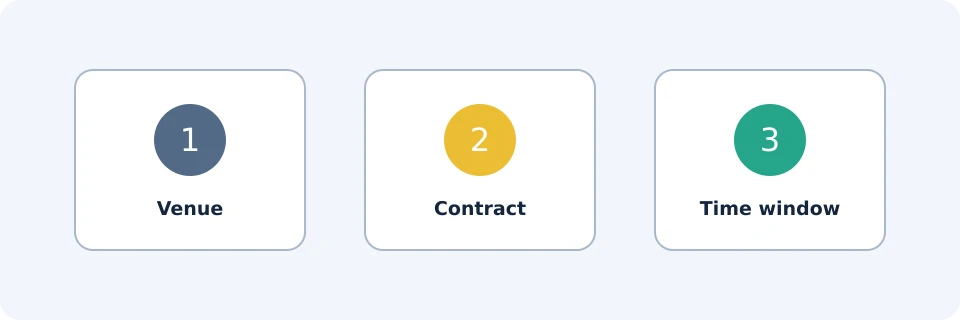
Before interpreting a band, verify these three settings:
| Scope check | What to establish | Why it matters |
|---|---|---|
| Venue | Binance rather than another exchange or an aggregate | A cluster estimated for another market is not automatically a Binance cluster. |
| Contract | BTC/USDT Perpetual, rather than Spot or a different contract | A similar symbol can describe a different instrument. |
| Time window | The selected observation period, such as 24 hours | Different windows can produce different-looking concentration patterns. |
Also record the model and threshold setting. Two images are not directly comparable merely because both say BTC/USDT.
What the colors actually represent
According to CoinGlass’s explanation, its estimates use trading volume, leverage usage and market indicators. The horizontal axis represents time; the vertical axis represents price. Color indicates relative estimated liquidation intensity, not the actual amount that will be liquidated. Actual liquidations may be lower.
A bright horizontal band therefore means the model assigns comparatively high concentration near that price. It does not establish how many accounts are there, their exact collateral, or whether their positions still exist unchanged.
| Information type | Question it addresses | Important limit |
|---|---|---|
| Estimated heatmap cluster | Where might liquidation exposure be concentrated? | Depends on assumptions and selected scope. |
| Reported liquidation event | What liquidation activity has been reported? | Not a forward map of remaining positions; check the feed’s coverage. |
| Your account liquidation threshold | At what threshold is your position at risk? | Depends on actual account and position conditions. |
Keep these categories separate. A heatmap is neither a record of completed liquidations nor an account risk calculator.
Worked example: compare distance without predicting direction
Assume an illustrative BTC reference price of 60,000 USDT. An invented model assigns an intensity score of 80 to a band at 58,800 and 40 to a band at 61,800. These arbitrary scores are not dollars, position counts or probabilities.
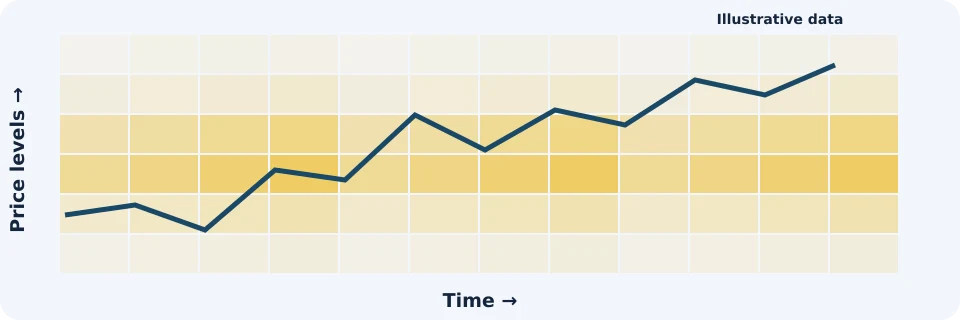
- The lower band is 1,200 USDT away: 1,200 ÷ 60,000 × 100 = 2%.
- The upper band is 1,800 USDT away: 1,800 ÷ 60,000 × 100 = 3%.
- The lower score is twice the upper score within this invented scale. That does not imply twice the chance of a price move.
The defensible conclusion is narrow: under the stated model, the lower band is closer and has greater estimated intensity. Neither observation identifies the next price direction.
If price later crosses 58,800, that alone does not prove the estimated liquidations occurred. You would need separate reported-event evidence. If the band fades before price reaches it, the image alone cannot establish whether positions closed, collateral changed or the estimate changed.
A reproducible reading checklist
Use the same sequence each time so that a compelling color does not replace a clear question.
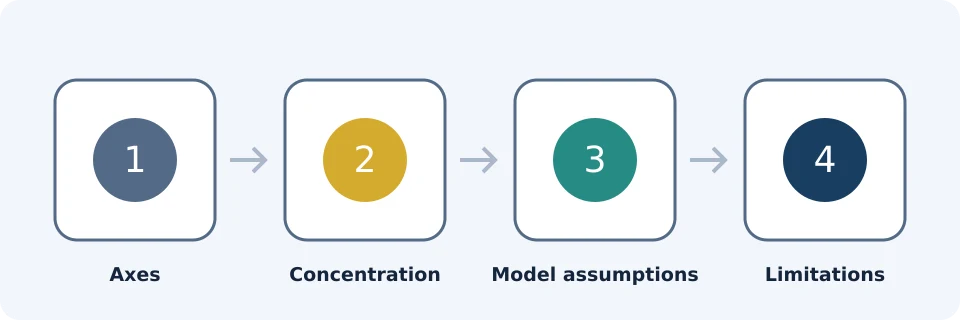
- Write down the scope: venue, contract, window, model, threshold setting and observation time.
- Read both axes: identify the visible price range and whether the time axis includes older concentrations.
- Select a reference price: state its source and timestamp before calculating distance.
- Describe the band: record its approximate price range and relative brightness rather than inventing a precise dollar exposure.
- Test sensitivity: compare another available model or threshold setting while holding other settings constant.
- State the limitation: distinguish an estimated concentration from any separately reported liquidation events.
A useful note might read: “Binance BTC/USDT Perpetual, 24-hour view, selected model and threshold recorded; a comparatively bright band appears approximately 2% below the stated reference price. No directional conclusion.” That observation is reproducible without pretending to know hidden positions.
Why a heatmap cannot reveal your liquidation price
Under Binance’s liquidation documentation, liquidation is triggered when Mark Price reaches the position’s liquidation price. Maintenance margin and margin balance affect that threshold. Cross Margin shares collateral across relevant positions.
Consequently, a simple leverage-only calculation cannot reconstruct every account’s liquidation threshold. A public cluster cannot reveal the collateral supporting a particular trader, other relevant positions or subsequent account changes.
Do not substitute the last traded price for Mark Price when assessing your own liquidation risk. Use the account’s displayed risk information and applicable Binance documentation, not a neighboring heatmap band.
Model selection adds another uncertainty. The observed interface offered multiple models, but that does not establish that any one model is universally most accurate. Without validated assumptions and comparable outcome testing, choosing the brightest image is not evidence of better forecasting.
Troubleshoot misleading readings
| Problem | First check | Avoid concluding |
|---|---|---|
| Two charts disagree | Match venue, contract, window, model and threshold. | One must be wrong. |
| A band disappears | Check changed settings, observation times and reported events separately. | The positions were definitely liquidated. |
| Price crosses a bright area without a large reported event | Separate estimated intensity from realized activity. | The color promised a liquidation amount. |
| The display appears blank or stale | Confirm selections and any visible update information; reload the source page. | No liquidation exposure exists. |
| Your liquidation threshold differs from a nearby cluster | Review your account’s margin conditions and Mark Price. | The public model overrides your account information. |
FinanceVelix illustrations versus live data
The diagrams in this article contain no live liquidation data. The FinanceVelix liquidation laboratory, whose public interface was checked on October 23, 2026, separates reported liquidation events from an experimental concentration model. Read the displayed data coverage and observation time before using either view.
A reproducible example using the FinanceVelix model
The laboratory exposes BTC/ETH selection, 1h/4h/24h observation windows and assumed leverage settings. Its published model creates hypothetical cohorts only from positive changes in observed open interest. It does not reconstruct all positions already open at the beginning of the window.
The displayed assumptions use isolated linear contracts, a 0.5% maintenance margin and no fees, funding or extra collateral. The long approximation is entry × (1 − 1/leverage) ÷ (1 − maintenance); the short approximation is entry × (1 + 1/leverage) ÷ (1 + maintenance).
Worked example, not an actual account threshold: with an invented 60,000 entry, 10× leverage and maintenance of 0.005, the long approximation is 60,000 × 0.9 ÷ 0.995 = approximately 54,271.36. The short approximation is 60,000 × 1.1 ÷ 1.005 = approximately 65,671.64. These calculations reproduce the stated formula; they do not validate the model against real liquidations.
The laboratory also states that missing price or open-interest data resets cohorts and that scores are not calibrated across assets or leverage settings. Record those settings with any screenshot. A different brightness setting changes the display, not the underlying model’s predictive accuracy. For an actual position, use Binance’s own margin calculation.
Frequently asked questions
Is the linked heatmap operated by Binance?
No. The linked page is on CoinGlass. “Binance BTC/USDT” identifies the selected market, not the operator of the tool.
Are bands above price always shorts and below price always longs?
That is a common directional interpretation of liquidation exposure, but location alone does not verify the positions behind a modeled band. Check the tool’s legend and methodology rather than treating it as an account-level list.
Can a liquidation heatmap show stop-loss orders?
The published methodology does not establish visibility into individual stop-loss orders. Do not relabel estimated liquidation concentrations as confirmed stop orders.
How should I compare observations over time?
Save the observation time and every relevant setting alongside each reading. Compare equivalent scopes; otherwise, a changed display may reflect configuration rather than a market change.
Can the heatmap alone justify a leveraged entry?
No. It does not establish direction, execution quality or your capacity to absorb losses. Treat it as contextual information, not a complete trading or risk-management plan.
Affiliate disclosure: FinanceVelix may earn a commission if you register through its Binance referral link. Registration is not required to understand this guide.
Official educational references
- Coinglass liquidation heatmap ↗Source accessed: 2026-10-23
- CoinGlass explanation of liquidation heatmaps ↗Source accessed: 2026-10-23
- Binance Futures liquidation protocols ↗Source accessed: 2026-10-23
- FinanceVelix liquidation laboratory: public interface and model documentation ↗Source accessed: 2026-10-23
- Binance VELIX registration offer ↗Source accessed: 2026-10-23