For a Binance download, start at the official Binance download page and choose the route for your device. Verify its destination before installing or entering credentials; a search advertisement, familiar logo or matching app name is not enough.
This guide uses official public documentation and public-page checks dated October 23, 2026. The walkthrough concerns public download routes; no installer signature or authenticated app session was tested.
Choose the official route for your device
The official download page listed Android, iOS and Windows desktop options when checked. It also listed a separate Authenticator download. These are different tools: downloading an authenticator does not install the Binance exchange app.
| Device | Starting route | Before installing |
|---|---|---|
| Android | Android Download on the official page | Check the linked store or official file destination and device requirements. |
| iPhone or iPad | iOS Download on the official page | Follow the linked store listing; confirm compatibility and regional availability. |
| Windows PC | Windows under the desktop section | Check the installer destination and any operating-system security warning. |
Use the current page for the available release, compatibility and regional requirements. This check established a Windows desktop option; it did not establish other desktop operating-system routes or minimum system requirements.
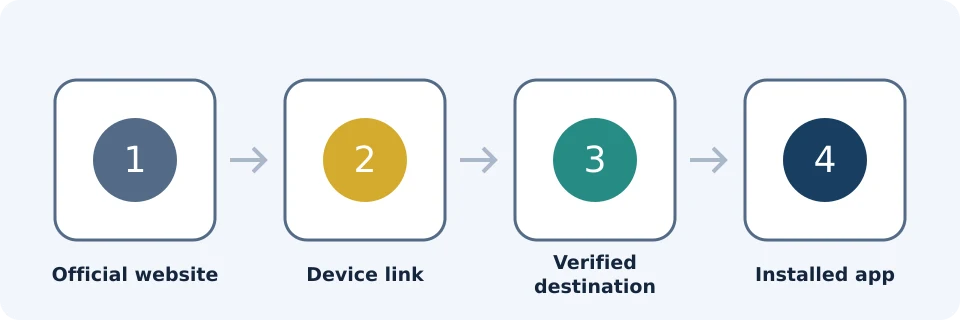
Verify the destination, not the search ranking
- Read the starting address. Use the official download URL. A domain containing “binance” somewhere is not necessarily binance.com.
- Follow its device link. Do not substitute a sponsored search result, forwarded installer or APK mirror.
- Inspect the destination. A store may have its own domain, but it should be the destination reached from the official route. Recheck after redirects.
- Compare identity and compatibility. Check the app’s purpose, publisher information and device requirements. A logo alone proves little.
- Stop on unexplained differences. If the publisher, destination or warning is unexpected, verify through official support before continuing.
For an Android APK, apply the same checks to the actual file link. Do not use an alternative download simply because it claims to be newer. If the official route is unavailable locally, check regional service information rather than using a mirror or bypassing restrictions.
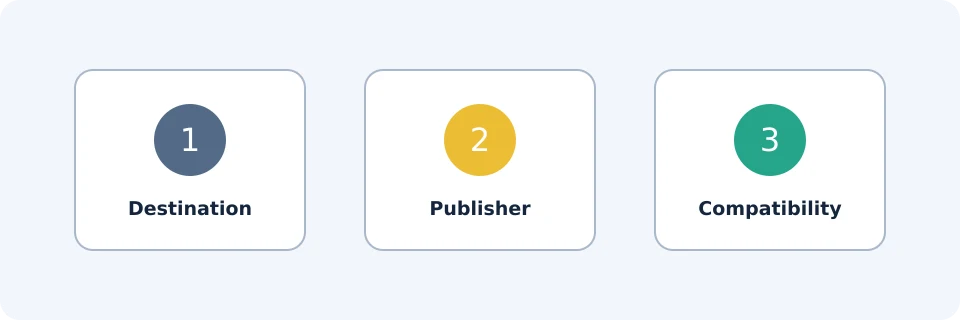
Exchange app versus authenticator app
The exchange app is used to access Binance account services. An authenticator supplies authentication codes; it is not the exchange account itself. Binance’s beginner guide discusses authenticator apps, including Google Authenticator, as security options. That does not make every similarly named third-party app an official Binance product.
Check which tool you intended to install. Never enter your exchange password, authentication setup secret or recovery information into an unrelated app because its name looks familiar.
Installation is not registration or reward eligibility
An installed app establishes only that software is on your device. Registration creates account access; identity verification and product eligibility are separate steps. Binance’s official guide says identity verification is required before purchasing crypto. Follow the account-specific flow; installation does not guarantee access to every feature.
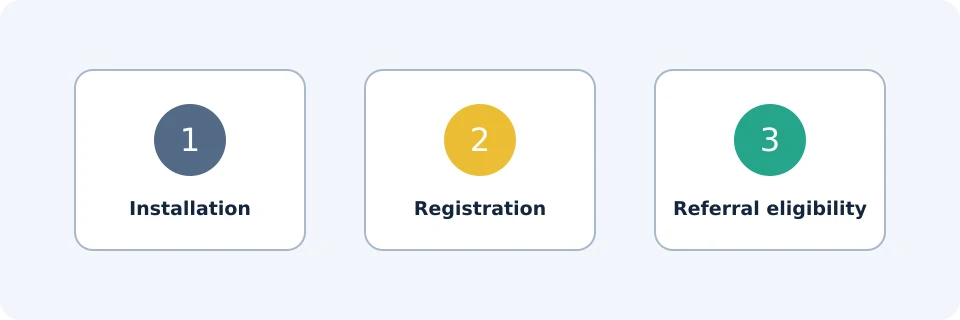
Referral fee rebates, BNB fee deductions and task-based welcome rewards are also distinct. A quoted 20% referral benefit should not be read as a universal BNB discount or guaranteed reward. Check the applicable account terms; do not assume these benefits stack. Reinstalling the app is not evidence that an offer has attached.
For the next stage, use our registration and verification guide. There is no need to create another account merely to install the app on another device.
First-open checks and reading the interface
Open the installed app directly. Use a unique password and configure available authentication protections before funding. Binance’s security guidance recommends two-factor authentication and an anti-phishing code. Treat that code as an additional recognition aid, not permission to trust every link in a message.
Layouts can differ by version, region and interface mode. Identify the feature rather than copying an old button position. Convert presents a conversion workflow; Spot provides order controls. A displayed price, preview and completed trade are different states.
After submitting an order, check its status, executed quantity and resulting balance. An open or partially filled order needs a different response from a failed payment. The Spot order guide explains those states.
Permissions, updates and troubleshooting
Evaluate permissions against the action you initiated. Camera access can be relevant to an identity-check workflow; an unexplained request deserves investigation. Do not disable device protections simply to finish installation.
| Problem | Safe next step | Avoid |
|---|---|---|
| Store says unavailable | Check device compatibility and regional information through the official route. | Changing region or using mirrors to evade restrictions. |
| Installer is blocked | Recheck its origin and the warning; seek official guidance. | Blindly disabling security controls. |
| Installation or update fails | Check storage, connectivity and device requirements; retry through the verified route. | Installing a random older release. |
| Permission seems unrelated | Pause and identify the feature requesting it. | Granting every permission automatically. |
| Login or 2FA fails | Use official recovery support and preserve existing authentication access. | Sharing codes or assuming reinstallation repairs account access. |
Frequently asked questions
Is there a Binance app for PC?
The checked official page offered a Windows desktop download. Use its current listing for availability and requirements; this does not establish support for every PC operating system.
Where should I get a Binance APK?
Start from the official Android download route. If it offers a direct file, verify that destination. No APK mirror is recommended here.
Why does my app look different from a tutorial?
Version, regional availability and interface mode can differ. Search official Help for the feature name rather than selecting a similar-looking control.
Does uninstalling delete my Binance account?
Removing local software is not an account-closure request. For closing the account, follow the separate account-deletion guide.
Affiliate disclosure
FinanceVelix may earn a commission from referral registrations. Benefits depend on account eligibility, region and applicable terms. This guide is not a recommendation to trade cryptocurrency.
Official educational references
- Download Binance App | Crypto Trading App for Mobile & Desktop ↗Source accessed: 2026-10-23
- Binance beginner guide ↗Source accessed: 2026-10-23
- Register on the Binance app ↗Source accessed: 2026-10-23
- Anti-phishing code setup ↗Source accessed: 2026-10-23