To trade on Binance Spot, choose the correct trading pair, fund your Spot balance, select an order type, and check the executed trades after submitting. A market order prioritizes execution at available prices; a limit order sets a price boundary but may not fill. Submitting an order is not the same as completing a trade.
This FinanceVelix guide uses official public documentation and explicitly hypothetical calculations, not live quotes or personal trading experience. Research checked: October 23, 2026. Ordinary unleveraged Spot trading exchanges assets without borrowing, but price losses and exchange-custody risks remain. Product availability and account requirements vary.
Read the pair and available balance first
In BTC/USDT, BTC is the base asset and USDT is the quote asset. The displayed price expresses how many USDT one BTC costs. Buying acquires BTC using USDT; selling gives up BTC to receive USDT. For XRP/USDT, the same logic applies, with XRP as the base asset.
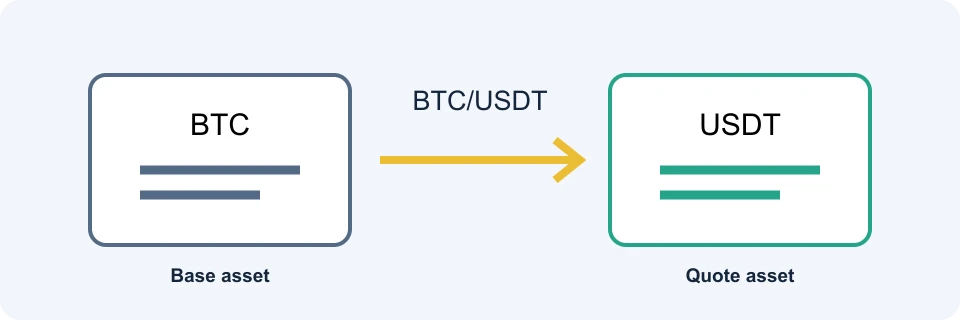
Check the complete pair rather than searching only for a coin name. BTC/USDT and BTC paired with another quote asset require different spending balances. A displayed price of 60,000 USDT per BTC does not mean you must buy a whole bitcoin.
Use the available Spot balance, not your total account valuation. Funds elsewhere in the account may need transferring, while existing orders can tie up funds. Binance’s Spot guide explains funding the Spot Wallet before trading. For transfer preparation, see our crypto deposit guide.
A practical order-entry checklist
The Binance Spot trading interface brings together the pair selector, order book, chart, order-entry controls and order records. Their positions can differ between app and web versions; identify their function rather than relying on a fixed screenshot.
- Confirm the product: use Spot, not Margin or Futures, if you intend an unleveraged asset exchange.
- Select the pair and direction: read what you will spend and what you will receive.
- Inspect available funds and the order book: asks are offers to sell; bids are offers to buy.
- Choose the order type: enter the quantity, spending amount or price fields required by that form. Check each field’s unit.
- Review before submitting: confirm size, price conditions and fee information.
- Check execution afterward: inspect filled quantity, remaining quantity and trade records rather than treating a submission notification as proof of purchase.
Binance documents access through Trade → Spot and describes the order-history areas in its official walkthrough, checked October 23, 2026. Follow your current account interface where labels differ.
Market versus limit: speed, price and liquidity
| Choice | What you control | Main uncertainty | Useful when |
|---|---|---|---|
| Market | Requested size or spend, as supported by the form | Execution price across available orders | Execution matters more than a strict price boundary |
| Limit | Maximum buy price or minimum sell price, plus size | Whether, when and how much fills | You would rather wait than accept a worse price |
A market buy consumes available asks; a market sell consumes bids. The last traded price is historical information, not a promise about your next execution. Available quantity and prices can change before your order reaches the book.
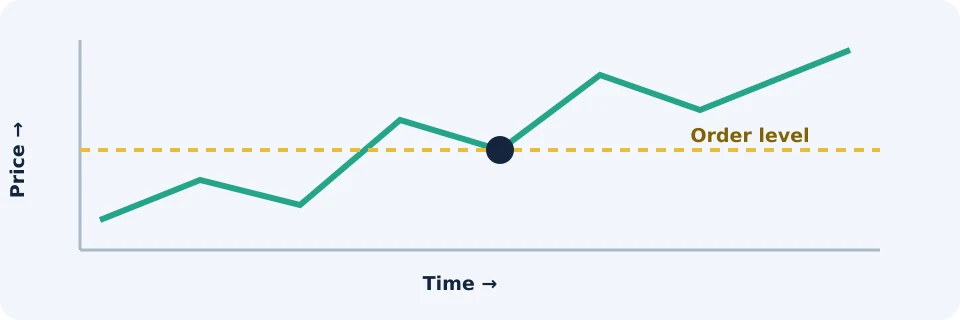
A buy limit at 60,100 permits execution at 60,100 or lower. A sell limit at 60,100 permits execution at 60,100 or higher. A limit controls the execution price boundary, not the fee-inclusive cost or certainty of completion.
Why a limit order can still be a taker
Maker and taker describe liquidity behavior, not simply order names. An order that rests on the book adds liquidity. An order matching an existing resting order removes liquidity.
If the lowest ask is 60,000, a buy limit at 60,100 can immediately match that ask: it is taking liquidity despite being a limit order. If some quantity matches immediately and the remainder rests, different portions can have different liquidity roles. Check the applicable maker/taker rates rather than assuming every limit order receives maker pricing.
Worked example: buying 0.01 BTC across two prices
Hypothetical assumptions: you request 0.01 BTC, the following asks remain available until execution, and fees are excluded initially. These are invented prices, not a market observation or recommendation.
| Fill | BTC purchased | Price in USDT per BTC | Cost in USDT |
|---|---|---|---|
| First | 0.006 | 60,000 | 360.00 |
| Second | 0.004 | 60,100 | 240.40 |
| Total | 0.010 | Weighted average: 60,040 | 600.40 |
The weighted-average execution price is 600.40 ÷ 0.01 = 60,040 USDT per BTC. A simple average of the two price levels would be wrong because their quantities differ.
Buying the entire quantity at 60,000 would cost 600.00 USDT. The extra 0.40 USDT here is an execution-price difference, not a trading fee. Both a market buy and an immediately executable buy limit of 60,100 could produce these fills under the stated assumptions. A limit of 60,000 would exclude the second price level, leaving some quantity unfilled unless more suitable liquidity arrived.
Stop-limit and OCO: conditions are not guarantees
Binance’s Spot documentation describes stop-limit and One-Cancels-the-Other orders. Availability and parameters should be checked in the selected market.
A stop-limit uses a trigger price to activate a limit order. For a hypothetical protective sale, a stop at 58,000 and sell limit at 57,900 means the trigger activates an order that will not sell below 57,900. If available bids fall below that boundary before execution, the order can remain unfilled. It does not guarantee an exit at the stop price.
An OCO links a limit order and a stop-limit order so that execution of one cancels the other under the platform’s rules. It can coordinate an upside target and a conditional downside exit, but it cannot manufacture buyers. Check the remaining order state after a trigger or partial execution.
Partial fills and cancellation: what actually changes
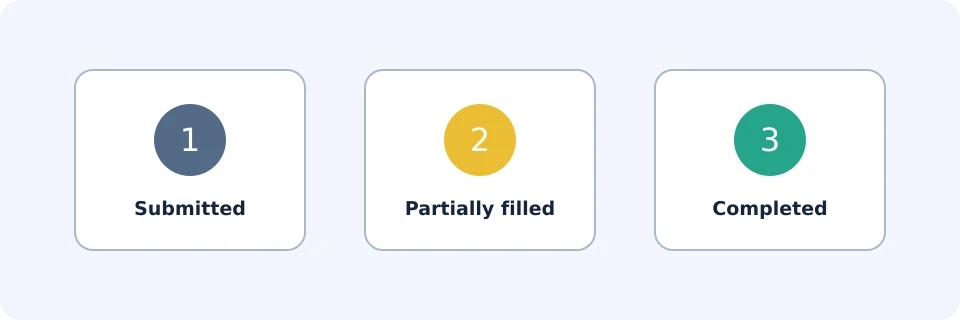
Suppose you request 0.01 BTC but only 0.006 BTC executes before you cancel the remainder. You bought 0.006 BTC; the other 0.004 BTC was not purchased. Cancelling the remainder does not reverse completed fills.
A cancellation request can also overlap with execution. Do not assume the unfilled amount stayed unchanged between pressing cancel and receiving the final status. Reconcile the final executed quantity and remaining quantity in the records.
- Open orders: inspect what is still awaiting execution.
- Order history: establish the request’s final status and filled quantity.
- Trade history: inspect individual execution prices, quantities and fees.
A chart touching your limit does not prove your order filled: the plotted trade may not represent enough executable quantity for your order, and other orders may be ahead of it.
Calculate fees separately from execution price
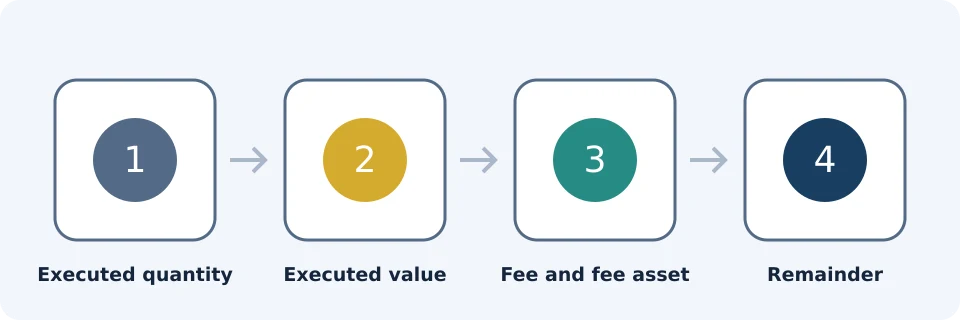
Binance’s fee calculation article, updated January 22, 2026 as documented in the official source, explains that charges depend on executed value and the applicable rate. Product, maker/taker status, VIP level and BNB eligibility can affect that rate. There is no single rate this article can safely assign to every reader.
For illustration only, assume a 0.10% fee charged in USDT on the 600.40 USDT purchase. The fee would be 600.40 × 0.001 = 0.6004 USDT, making the total quote-asset outlay 601.0004 USDT. This is not a verified account rate. If the fee is charged in another asset, reconcile that asset separately; exchange precision and rounding may also affect recorded amounts.
Do not conflate a referral rebate with a BNB fee deduction or a task-based welcome reward. They have different conditions, and universal stacking is not established. See our Binance fee guide before comparing costs.
Troubleshooting an unexpected result
| Symptom | Likely issue to investigate | Next check |
|---|---|---|
| Insufficient balance | Wrong asset, wrong account area, or funds committed elsewhere | Available Spot balance and existing orders |
| Order rejected | Entered size or price may not satisfy the pair’s requirements | The rejection message and displayed trading rules; do not assume universal minimums |
| Limit remains open | No suitable liquidity reached your order | Current bids/asks, limit price and filled quantity |
| Average price differs from chart | Several executions or a changing book | Individual fills and their weighted average |
| Cancelled order still changed balance | Some quantity executed before cancellation | Completed fills, fees and final cancelled remainder |
Frequently asked questions
Is entering 100 the same as buying 100 coins?
No. A field may represent base-asset quantity or quote-asset spending. Read its unit: 100 USDT of BTC is very different from 100 BTC.
Can a limit buy execute below my limit?
Yes. The limit is the highest permitted buy price, not a requirement to pay that exact price. Better-priced available asks can execute first.
Can I edit a completed trade?
No. Changing or cancelling an open instruction cannot rewrite completed executions. Selling an acquired asset would be a separate trade with its own price and costs.
Should I compare Spot with Convert?
If you only want an asset exchange, compare the final amount received for the same input. Convert uses a preview quote that expires; Spot involves order execution and applicable fees. Neither route is automatically cheaper.
Does a filled Spot buy send coins to my personal wallet?
No. A filled purchase updates your exchange balance. Sending assets to an external wallet is a separate withdrawal process, with its own network, address and fee checks.
Affiliate disclosure and offer conditions
FinanceVelix may receive a commission through its Binance referral link. The researched offer displayed up to 20% trade rebates and up to $19,800 in new-user rewards on October 23, 2026—not guaranteed payments. Eligibility, regional restrictions, verification, task deadlines, deposits, trading activity and reward availability apply; rewards may be vouchers. BNB deductions are separate, and combined benefits are not assured. This guide is educational, not investment advice.
Official educational references
- Guide to Binance Spot trading ↗Source accessed: 2026-10-23
- Calculating transaction fees ↗Source accessed: 2026-10-23
- How to use Binance Convert ↗Source accessed: 2026-10-23
- Binance VELIX registration offer ↗Source accessed: 2026-10-23