To make a Binance crypto deposit, open the on-chain deposit option, choose your asset and network, then copy the receiving address and any required memo or tag. On the sending wallet or exchange, select the same network, verify the destination details, and check that the amount arriving meets Binance’s displayed minimum before confirming.
This guide uses official public Binance documentation and public research observations dated October 23, 2026. Calculations below are explicitly hypothetical, not live fees or quotes. Availability and current account requirements must be checked before sending.
First identify what kind of transfer you need
A crypto deposit transfers an asset you already own from another wallet or platform. It is different from depositing bank money, buying crypto, or moving an existing Binance balance.
| Your starting point | Appropriate route | Main check |
|---|---|---|
| Crypto in an external wallet or exchange | On-chain crypto deposit | Asset, network, address and memo |
| Money in a bank account | Available fiat deposit method | Currency, regional availability and payment instructions |
| Card or local payment funds | Crypto purchase or P2P order | Purchase terms and payment requirements |
| Crypto already in your Binance account | Relevant internal balance transfer | Source and destination balances |
Do not send a bank transfer to a crypto address. Binance’s funding guide describes crypto deposits, purchases, P2P and region-dependent bank deposits as separate routes. For purchases rather than transfers, see how to buy crypto on Binance.
How to deposit crypto in the Binance app
The official transfer instructions described in the official guidance use Add Funds > On-Chain Deposit. Labels can change across versions; the important destination is the crypto receiving screen, not the purchase or withdrawal screen. Consult the official crypto transfer guidance alongside your account.
- Check account readiness. Complete any verification requested and confirm that the deposit route is available.
- Select the exact asset. Do not substitute a similarly named token or assume every version is supported.
- Select a compatible network. It must be supported for that asset by both Binance and the sender.
- Read the receiving conditions. Check any displayed minimum, confirmation requirement, availability notice and memo instructions.
- Copy the current receiving details. Use the address and required memo or tag shown for this route.
- Open the sender’s withdrawal or send function. Enter the same asset, network and destination details.
- Review the final amount and authorize. Check the sender’s fee treatment, save the transfer record, and monitor progress.
If verification blocks access, resolve it before sending; the registration and verification guide explains the preparatory process.
Check four fields before authorizing
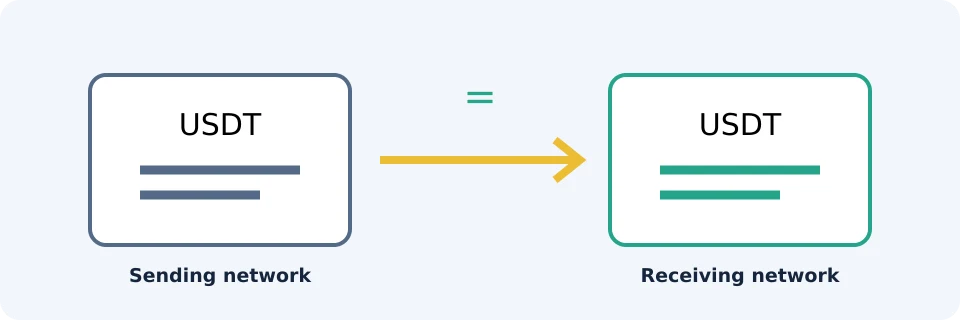
The asset ticker alone does not identify a safe route. A token can exist on multiple networks. Select a network supported on both sides for the exact asset; do not choose solely by the cheapest withdrawal charge. Binance warns that sending through an incompatible network can cause permanent loss in its deposit guidance.
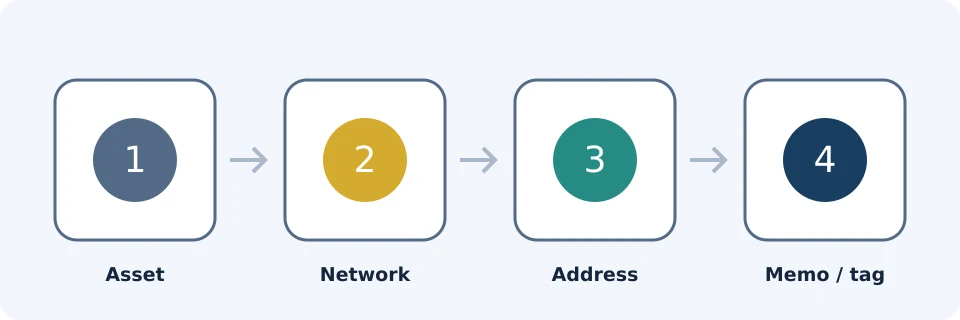
| Field | What to verify | Unsafe shortcut |
|---|---|---|
| Asset | The sender’s asset matches the receiving selection | Relying only on a similar name |
| Network | Both services support the same chain for that asset | Assuming a familiar address format proves compatibility |
| Address | The pasted destination matches the current receiving address | Checking only the first few characters |
| Memo or tag | Every required additional identifier is copied correctly | Assuming the address is always sufficient |
Compare the full address where practical, not just its beginning and end. If the sending interface cannot accept a required memo, stop and clarify the route rather than improvising. A test transfer can reduce exposure, but it must meet the minimum and incurs its own applicable sending costs. Recheck details before a larger transfer.
Deposit fees and minimums: compare the net arrival
There is no useful universal minimum to quote. Binance states that minimums vary by currency and method and directs users to the limits displayed in their account. Check the exact asset/network route immediately before sending, using the official minimum-deposit guidance.
Separate three possible costs: the sending service’s withdrawal charge, network costs, and any receiving charge disclosed for the route. Do not assume a charge is zero because it is absent from an unrelated guide. A sender may deduct a fee from the entered amount or charge it separately; its final confirmation determines the calculation.
Worked example: enough sent, but too little arrives
Assume a fictional token called ABC, a receiving minimum of 10 ABC, and a sender that deducts its withdrawal charge from the entered amount. These invented figures illustrate arithmetic only; they are not Binance prices, fees or limits.
| Scenario | Gross amount | Deducted fee | Net sent to destination | Against 10 ABC minimum |
|---|---|---|---|---|
| Small transfer | 10.5 ABC | 1 ABC | 9.5 ABC | Below minimum |
| Larger transfer | 15 ABC | 1 ABC | 14 ABC | Above minimum |
| Alternative supported route | 15 ABC | 0.2 ABC | 14.8 ABC | Above minimum |
The calculation is net arrival = gross amount − deducted fee. The alternative saves 0.8 ABC only if both services support it and its receiving conditions also permit the transfer. Meeting a minimum does not override a wrong network or missing memo. Do not assume a later deposit will automatically fix an earlier below-minimum transfer.
Trading fees are a separate topic from transfer costs; see the trading-fee guide rather than treating a trading discount as a deposit discount.
Pending or missing deposit: follow the evidence
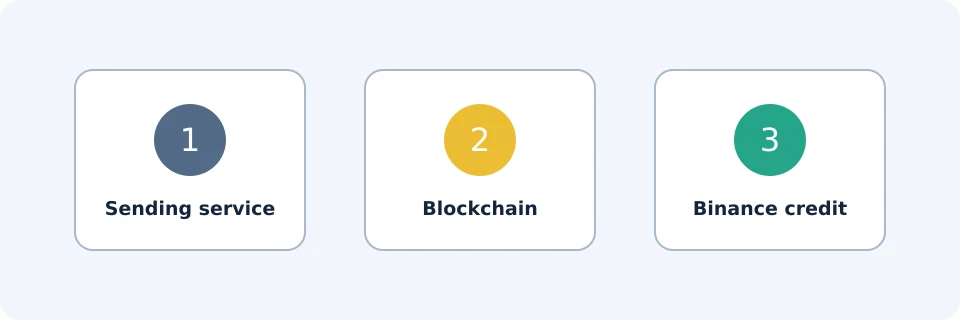
A sender’s “completed” label, an on-chain confirmation and a credited Binance balance describe different stages. Blockchain confirmations and destination processing affect timing, according to the official transfer guidance. There is no fixed credit time that safely applies to every transfer.
| Evidence available | Investigate next | Action |
|---|---|---|
| No blockchain transaction ID | Sending service | Ask whether the withdrawal was broadcast; an internal order number is not necessarily a transaction ID. |
| Transaction ID exists but transaction is pending | Correct blockchain | Check status in that network’s explorer; do not treat an unconfirmed transaction as a credited deposit. |
| Transaction is confirmed but balance is missing | Receiving requirements | Compare confirmations, destination, asset, network, memo and minimum with Binance’s requirements. |
| Details conflict or requirements appear satisfied | Official support | Submit the transaction evidence and request investigation. |
A transaction marked confirmed may still lack the number of confirmations required by the destination. Build an evidence packet: transaction ID, network, asset, amount, destination address, memo if applicable, timestamp, sender receipt and Binance deposit-history status. Keep sensitive account information out of public posts.
Do not resend merely because the balance is missing. A second transfer creates another transaction, not an explanation for the first. If details were wrong, stop further transfers and contact official support. Recovery may be unavailable; never disclose a seed phrase, private key or authentication code to a supposed recovery agent.
Frequently asked questions
Can I use a previously saved deposit address?
Reopen the current deposit screen and compare the saved details before using them. A saved address does not establish that the route is currently available or that its requirements are unchanged.
Should I always select the cheapest network?
No. First establish compatibility for the exact asset on both sides. Then compare costs and minimums among the valid routes. A lower fee cannot compensate for an unsupported transfer.
Can I cancel after sending?
Do not assume cancellation is possible. Ask the sending service whether its withdrawal is still awaiting broadcast. Once broadcast, treat cancellation or recovery as uncertain, not as a fallback safety measure.
What if Binance shows a memo but the sender does not?
Do not omit it or place it in an unrelated notes field. Ask the sending service whether it supports the required destination identifier before authorizing the withdrawal.
Does making a deposit guarantee a welcome reward?
No. A credited deposit and reward eligibility are separate matters. Any offer depends on its account-specific terms, regional availability, verification and applicable task requirements; sending funds alone does not establish entitlement.
Affiliate disclosure
FinanceVelix may receive a referral commission from registrations through its Binance links. Availability and benefits depend on location, account eligibility and Binance’s terms. This educational guide is not a recommendation to buy cryptocurrency or trade.
Official educational references
- Your Guide to Binance Deposit/Withdrawal ↗Source accessed: 2026-10-23
- Crypto deposits and withdrawals ↗Source accessed: 2026-10-23
- Binance beginner guide ↗Source accessed: 2026-10-23