Binance’s regular-user Spot fee baseline was 0.100% maker and 0.100% taker in the public schedule checked on October 23, 2026. Its BNB-payment column showed 0.07500% for each, a 25% reduction where eligible. These are not universal rates: your pair, product, VIP status, promotions and account settings can change the applicable fee. Check the official fee schedule and your account before trading.
For a simple estimate, multiply executed trade value by the applicable rate. Then account separately for the sell leg, spread, slippage, transfers and any financing costs. A referral rebate is another calculation—not automatically another reduction in the displayed fee rate.
This guide uses official public documentation and the documented FinanceVelix calculator browser test, checked October 23, 2026. Worked examples are explicitly labeled assumptions, not executed trades or evidence of account eligibility.
Binance Spot fees: the baseline and its limits
The public schedule separates standard maker/taker rates, BNB-payment rates and USDC-specific columns. Read across the correct row and column rather than treating a search result’s “0.1%” as the price of every Binance transaction.
| Schedule category | Maker | Taker | Important condition |
|---|---|---|---|
| Regular Spot, standard column | 0.100% | 0.100% | Baseline, not every pair or promotion |
| Regular Spot, BNB column | 0.07500% | 0.07500% | Eligible BNB fee deduction |
| VIP 1, standard column | 0.090% | 0.100% | 30-day volume ≥ $1 million and BNB balance ≥ 5 |
| VIP 2, standard column | 0.080% | 0.100% | 30-day volume ≥ $5 million and BNB balance ≥ 25 |
| Regular USDC column | Standard | 0.095% | Read the pair-specific schedule |
These entries reproduce selected categories from the October 23, 2026 public schedule. They do not cover every tier or product. In particular, the VIP 1 and VIP 2 rows require both listed conditions; reaching the volume threshold alone does not establish qualification through those rows.
Maker and taker describe execution
A maker fill adds liquidity; a taker fill consumes available liquidity. A market order takes liquidity. A limit order is not automatically a maker order: if it can execute immediately against available orders, it can take liquidity. See the Spot order guide for order-type mechanics.
At the regular baseline, maker and taker rates are equal. At other tiers they can differ, so execution classification becomes financially important. An unfilled order is not executed volume, and a partially filled order should be calculated using only its completed fills.
Calculate fees per fill, not per order label
Estimated fee value = executed quantity × execution price × fee rate as a decimal.
The essential conversion is 0.1% = 0.001, not 0.1. Under an assumed 0.1% rate, a $10,000 executed trade produces a $10 fee-equivalent estimate: $10,000 × 0.001. Using 0.1 instead would incorrectly produce $1,000.
For an invented two-fill example, suppose 0.4 units execute at $20,000 and 0.1 units at $20,100. Executed value is $8,000 + $2,010 = $10,010. With a 0.1% rate on both fills, estimated commission is $10.01. Calculate each fill separately if rates differ, then sum the results.
The official calculation article, updated January 22, 2026, explains that applicable fees depend on the product, execution classification, VIP level and BNB eligibility. Use actual fills rather than the order’s original requested amount.
The fee asset matters
A dollar-equivalent estimate is not necessarily a dollar debit. Check the asset recorded for the commission; eligible BNB deduction uses BNB, while other fee records may involve a traded asset. If a commission is deducted from the asset received, your available quantity will be lower than the gross fill quantity.
For reconciliation, retain both the charged quantity and its asset. Convert to a common reporting currency using a clearly stated valuation convention. Otherwise, a change in the fee asset’s price can look like a different commission rate.
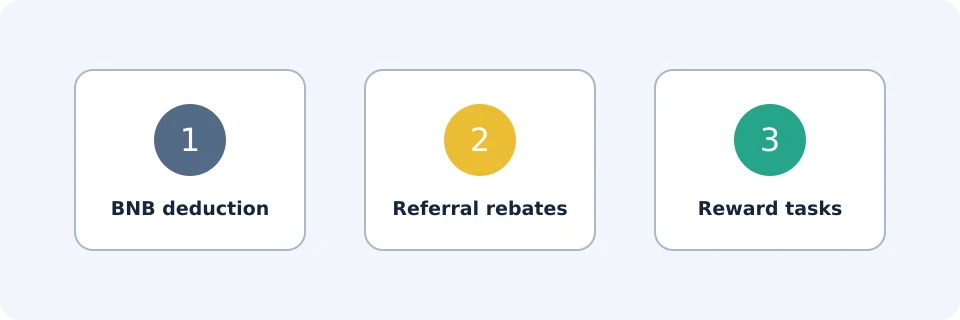
BNB deductions, referral rebates and rewards are different
| Mechanism | What it changes | What to verify |
|---|---|---|
| BNB fee deduction | Eligible commission paid using BNB at a discounted rate | Product, enabled setting and sufficient BNB |
| Up to 20% referral rebate | A conditional rebate on eligible trading fees | Account attribution, eligible fees and offer terms |
| Up to $19,800 welcome rewards | Conditional task-based rewards | Deposit, trading, time, verification and availability requirements |
The BNB deduction FAQ, updated February 17, 2026, describes discounts of up to 25% for Spot/Margin and up to 10% for Futures under the applicable rules. The Spot schedule’s 25% column turns 0.100% into 0.07500%. Holding BNB alone does not establish that deduction is active, and BNB price exposure is a separate risk.
The VELIX offer inspected on October 23, 2026 advertised up to 20% trade rebates and up to $19,800 new-user bonus. Its “See How” terms described newly registered invitees, 1,000 rewards per cycle resetting every 30 days, and tier-specific net-deposit, trading-volume and task-duration requirements. Eligibility, regional restrictions, verification and activity conditions apply; rewards may be vouchers. Do not add the task tiers or assume the headline maximum is a guaranteed cash payment.
Check the current VELIX registration offer and its terms before relying on a benefit. Affiliate disclosure: FinanceVelix may receive a commission if you register through this link.
There is no universal stacking assumption. Purely hypothetically, a 25% deduction on a $10 fee leaves $7.50; a subsequent 20% rebate on that remainder would leave $6, a 40% combined reduction—not 45%. This arithmetic does not confirm that both benefits apply together, or establish the rebate base for your account.
FinanceVelix calculator: the documented test
The documented browser test of the FinanceVelix trading-cost calculator used the following inputs. It modeled a 20% fee reduction, not BNB deduction and not a confirmed combined offer.
- Trade amount per side: $10,000.
- Monthly executed buys plus sells: $1,000,000.
- Buy fee: 0.1%; sell fee: 0.1%.
- Slippage: zero.
- Modeled eligible fee reduction: 20%.
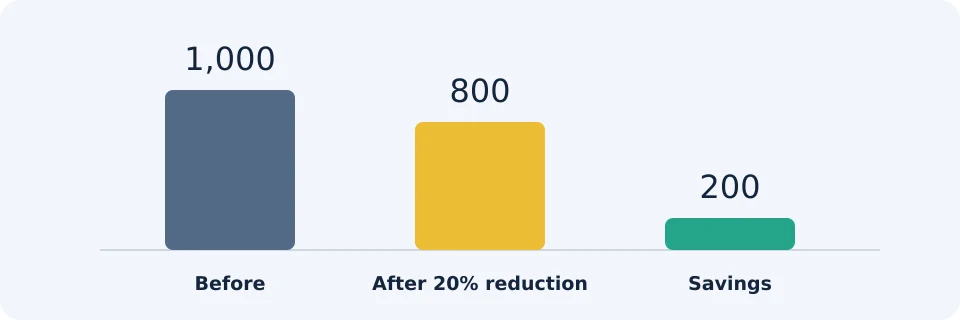
The recorded results were $200 monthly savings, $2,400 annual savings, $20 round-trip fees before reduction, $16 after reduction and $4 saved per round trip. The displayed fee-only break-even move was 0.1601%. This was a calculator test with assumptions, not a real trade or proof that every account receives a 20% rebate.
Reproduce the numbers
Monthly baseline fees are $1,000,000 × 0.001 = $1,000. A 20% reduction saves $200, leaving $800. Annualizing unchanged monthly inputs gives $200 × 12 = $2,400; it is not a forecast of future trading or savings.
For two legs of $10,000 each, baseline fees are $10 + $10 = $20. Reducing each by 20% gives $8 + $8 = $16. These equal-notional legs are a budgeting assumption; an actual sale’s value can differ from the purchase value.
The break-even result uses an effective fee of 0.08%, or 0.0008, on each side. In a fee-adjusted entry/exit model, required price increase = [(1 + 0.0008) ÷ (1 − 0.0008) − 1] × 100 = approximately 0.1601%. This ignores spread, slippage and other costs. A later rebate also does not necessarily reduce the commission charged at execution.
Compare monthly volume scenarios
These illustrations hold the baseline at 0.1% throughout, without assuming VIP qualification, promotional pairs or combined discounts.
| Executed buys + sells | Baseline fees | After modeled 20% reduction | Modeled savings |
|---|---|---|---|
| $10,000 | $10 | $8 | $2 |
| $100,000 | $100 | $80 | $20 |
| $1,000,000 | $1,000 | $800 | $200 |
Count both sides once. Buying $10,000 and later selling $10,000 creates $20,000 of executed turnover, not $10,000. Conversely, if your monthly figure already includes buys and sells, doubling it again overstates fees.
Keep other transaction costs outside the Spot fee estimate
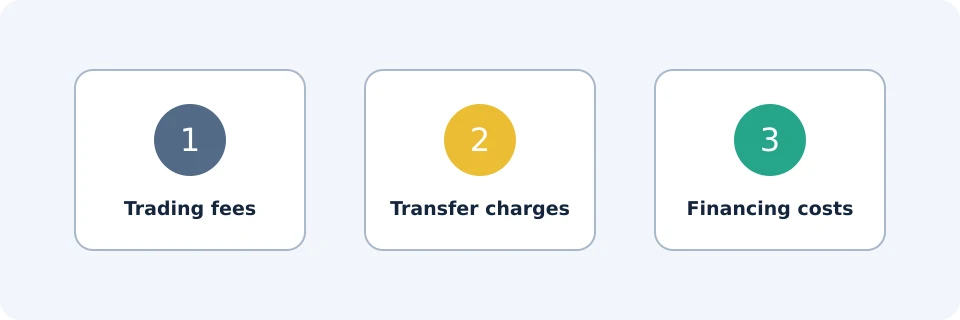
A commission calculation does not measure the entire cost of acquiring, holding or moving an asset. Keep these categories separate:
- Spread and slippage: execution-price costs that can exceed a small commission saving. Compare final quantities and effective prices, not just the advertised rate.
- Deposits and withdrawals: inspect the asset, network, displayed charge and net amount. A Spot fee percentage does not determine a blockchain withdrawal charge. See the withdrawal guide.
- Funding methods: card, fiat or payment-provider costs are not established by the Spot schedule. For P2P, market-dependent platform fees and external payment charges require separate checks.
- Financing: Margin borrowing and Futures funding are distinct from Spot commission. Do not apply a Spot discount to them without product-specific evidence.
As an invented comparison, a $3 worse execution price outweighs a $2 commission saving. For a small transfer, a fixed withdrawal charge may matter more than a fractional trading-rate difference. Compare the complete route to the asset and destination you actually need.
Troubleshoot a fee that looks wrong
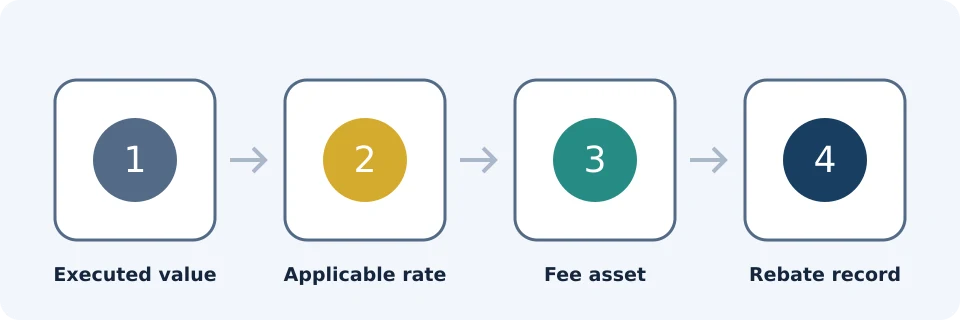
Start with the trade record, not an advertising banner. Reconcile executed value, applicable rate, charged fee asset and any separate rebate record.
| Symptom | Likely check | Useful next step |
|---|---|---|
| Fee exceeds the estimate | Wrong product, pair column or execution rate | Match each fill to the applicable schedule |
| BNB rate was not used | Setting, balance or eligibility | Check deduction status and fee asset |
| Received quantity seems short | Commission deducted in the received asset | Separate gross fill from net quantity |
| No expected referral saving | Offer attribution and rebate conditions | Inspect rebate records and account-specific terms |
| VIP rate differs from expectation | Qualifying volume and BNB requirements | Check the account’s assigned tier |
| Total cash cost exceeds commission | Spread, transfers or financing | Reconcile costs in separate categories |
If the discrepancy remains, retain the order identifier, fill details, fee quantity and asset, applicable rate and relevant rebate record for support. Never send passwords, private keys or verification codes.
Frequently asked questions
Is the Binance fee always 0.1%?
No. It is the checked regular Spot baseline in the standard column. Other pair columns, tiers, products and eligible discounts can differ.
Does placing a limit order guarantee a lower fee?
No. Immediate execution can be taker execution, and regular Spot maker and taker baseline rates are equal. A resting order also may never fill.
Does a $1 million account balance qualify for VIP 1?
Not through the displayed trading-volume row. That row concerns qualifying 30-day volume plus the stated BNB balance, not simply portfolio value.
Does a 20% rebate mean crypto costs 20% less?
No. It concerns eligible trading fees under the offer terms, not a 20% discount on the asset’s purchase price.
Does a zero-commission trade have zero cost?
Not necessarily. Spread, slippage, funding-method costs and later transfers can still affect the total, even when a particular commission is zero.
Should I trade more to unlock a lower rate?
A lower rate alone does not justify extra trading. Additional turnover creates costs and market exposure. Evaluate savings on activity you independently need, rather than manufacturing volume to chase a tier.
Official educational references
- Spot Trading Fee Rate | Binance ↗Source accessed: 2026-10-23
- Calculating transaction fees ↗Source accessed: 2026-10-23
- BNB fee deduction ↗Source accessed: 2026-10-23
- Binance VELIX referral offer and See How terms ↗Source accessed: 2026-10-23
- FinanceVelix trading-cost calculator: reproducible browser test ↗Source accessed: 2026-10-23
- Binance VELIX registration offer ↗Source accessed: 2026-10-23