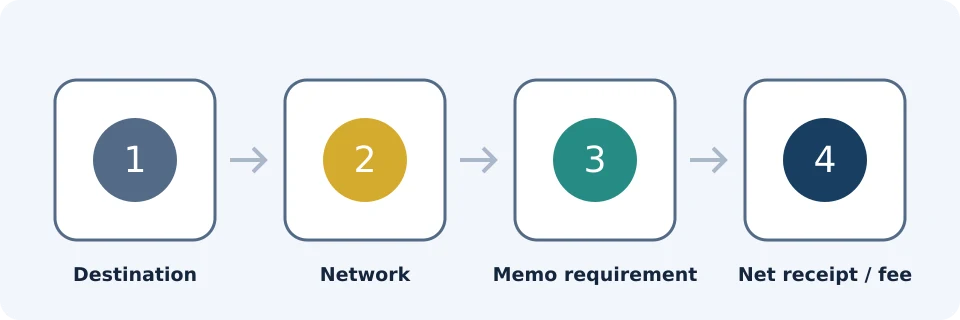
To withdraw crypto from Binance, first get the receiving wallet’s current deposit instructions. Then open Binance’s crypto withdrawal flow, select the asset, enter the address and matching network, add any required memo or tag, and check the fee and net receipt before completing security verification.
This sends cryptocurrency to a blockchain address; it does not withdraw cash to a bank. Binance documents both crypto and fiat withdrawals, with available options depending on region. See its deposit and withdrawal guide.
Documentation checked: 23 October 2026. This FinanceVelix guide uses official public Binance documentation and explicitly hypothetical calculations, not personal account testing. Account-specific screens govern current availability, charges and limits.
Start with the receiving service
Open the destination wallet or exchange before starting the withdrawal. Select its deposit or receive option for the exact cryptocurrency. Record the supported network, address, any memo or destination tag, and any displayed deposit minimum or restrictions.
For a transfer from Binance to Coinbase or Kraken, obtain these details from your own receiving account. Do not assume that either exchange accepts every network Binance offers for the same token. Their current account-specific deposit instructions determine the receiving side of the route.
| Check | Proceed when | Stop when |
|---|---|---|
| Asset | The destination accepts the exact asset you are sending. | You are relying only on a similar name or ticker. |
| Network | Both services support the same network for that asset. | The names differ or compatibility is unclear. |
| Memo or tag | You have copied any required additional identifier. | The destination requires one but you cannot enter it. |
| Deposit conditions | The planned net receipt meets the destination’s requirements. | Deposits are unavailable or the amount is too small. |
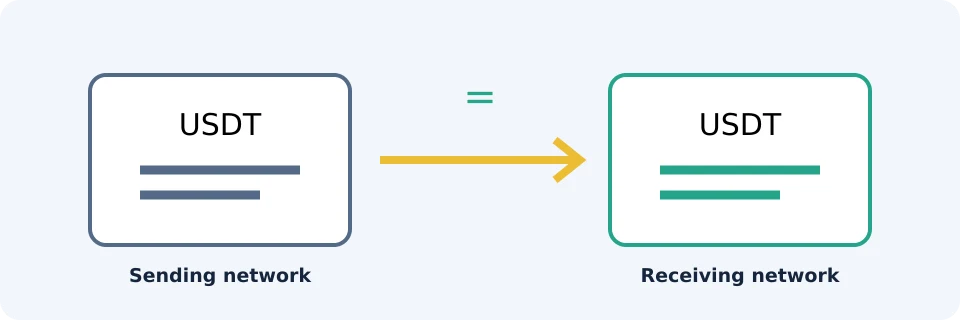
An address that passes a format check is not proof that you selected a supported route. Never choose a network solely because its displayed fee is lower. Binance warns that network mismatches can cause permanent loss in its official transfer guidance.
How to withdraw crypto in the Binance app
The documented app route is Assets > Spot > Send > Withdraw Crypto. Labels can vary with app version and account configuration. Follow the crypto withdrawal route rather than a bank withdrawal or internal transfer option. Source: Binance crypto transfer documentation, checked 23 October 2026.
- Select the cryptocurrency. Confirm that it matches the destination’s deposit instructions.
- Paste the receiving address. Compare the full pasted address with the destination’s current instructions, not just a remembered beginning or ending.
- Select the matching network. Resolve any uncertainty before continuing.
- Enter the memo or tag if required. Treat it as part of the destination details, not an optional note.
- Enter the amount. Check the displayed withdrawal minimum, fee, total debit and recipient amount.
- Review and authorize. Complete the security checks requested by Binance only after confirming every detail.
Binance documents withdrawal security checks, including two-factor authentication and email confirmation. Follow the actual verification flow presented to you. Navigate directly through the official app or website; never give verification codes to someone claiming to process the withdrawal. For broader precautions, see Binance account security.
Calculate what actually arrives
Do not equate the amount you type with the amount the recipient receives. Binance’s transfer documentation instructs users to review the withdrawal fee and net amount. Read the current withdrawal information and your confirmation screen rather than relying on an old fee quote.
Worked example: withdrawing 100 USDT
Assumptions: the entered amount is 100 USDT, the hypothetical fee is 1 USDT, and both debit and fee use USDT. These are invented figures, not current Binance prices or fees.
| Illustrative treatment | Balance debited | Recipient receives |
|---|---|---|
| Fee deducted from entered amount | 100 USDT | 100 − 1 = 99 USDT |
| Fee charged in addition | 100 + 1 = 101 USDT | 100 USDT |
The second row is a comparison of fee treatments, not a claim that Binance offers a selectable charging method. The actual screen governs. If you need exactly 100 USDT to arrive under the first treatment, the arithmetic would require entering 101 USDT, assuming the fee remains 1 USDT and all limits are satisfied.
Check two separate thresholds: Binance’s withdrawal minimum and the destination’s deposit minimum. If the hypothetical destination minimum were 100 USDT, a net receipt of 99 USDT would fall short even though you entered 100.
Do not treat referral rebates, BNB trading-fee deductions or new-user reward tasks as reductions to this withdrawal charge. They are distinct mechanisms, not a universal stack of withdrawal discounts.
When a test transfer helps
A small test can limit the amount exposed to an addressing mistake. It is useful only if the test itself satisfies the sending minimum and the destination’s minimum after fees. A tiny transfer below the receiving threshold may not provide useful confirmation.
For example, if a test enters 10 units and a hypothetical deducted fee is 1 unit, only 9 arrive. A destination minimum of 10 would make that an unsuitable test.
Wait until the destination credits the test, then obtain or recheck its instructions before sending the remainder. A successful test does not guarantee that an address, network availability, fee or deposit condition remains unchanged. Two withdrawals can also incur two charges; compare that cost with the risk you are trying to reduce.
Track submission, broadcast and credit separately
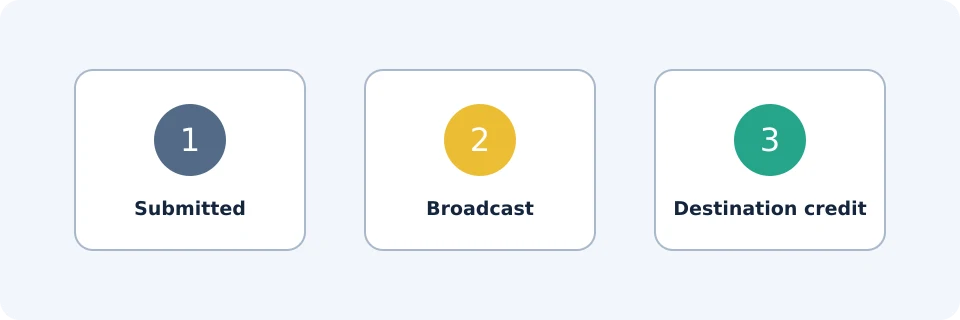
A submitted withdrawal request, a blockchain transaction and a credited destination balance are different stages. Binance’s transfer guidance explains that blockchain confirmations and destination processing affect timing. A processing estimate is not a guaranteed arrival time.
| Observation | What to check next |
|---|---|
| Pending request; no transaction ID shown | Review Binance’s withdrawal record for outstanding verification, restrictions or processing notices. Do not submit a duplicate simply because credit has not arrived. |
| Transaction ID available | Use the relevant network’s explorer through a trusted route. Compare the asset, destination, amount and confirmation status. |
| Confirmed on-chain; destination not credited | Check the destination’s confirmation requirement, minimum and memo rules. Contact its official support with the transaction ID. |
| Failed or rejected request | Read the stated reason and check the balance and withdrawal history before trying again. |
A transaction ID, often called a TxID or hash, identifies the blockchain transaction; it does not by itself prove that an exchange credited your account.
Changed addresses, missing memos and pending problems
If the receiving service now shows different details, stop and compare them with the submitted withdrawal. Do not assume an older saved address still works. Before submission, replace stale details; after submission, check the request’s status and contact official support promptly.
Do not assume you can edit or cancel a pending request. Once a transaction is broadcast, changing a saved address does not redirect it. Wrong-network or wrong-address recovery is not guaranteed.
For support, collect the asset, network, amount, destination, memo if applicable, request time, withdrawal status and transaction ID. Start with Binance for an unbroadcast request; start with the receiving service for a confirmed transaction that has not been credited. Never provide passwords, private keys or verification codes.
Frequently asked questions
Can I use these steps to withdraw to a bank?
No. These steps send crypto to a blockchain address. For cash, check the fiat withdrawal methods available in your account and region; do not enter bank details into a crypto address field.
Must I sell before transferring to Coinbase or Kraken?
Not necessarily. A crypto transfer does not itself require a sale, but the destination must support the exact asset and network. If no compatible route is available, stop rather than substitute a similar-looking asset or network.
Should I choose the cheapest network?
Only among routes explicitly supported by both sides. A cheaper unsupported route is not a saving if the funds cannot be credited.
What if I forgot the memo or tag?
Contact the receiving service through its official support process with the transaction details. Do not send another transfer as an attempted fix unless support gives clear instructions. Recovery may be unavailable.
Should I retry when a withdrawal takes too long?
First establish whether the original request failed, remains pending or was broadcast. Retrying without checking can create a second withdrawal rather than resolve the first.
Affiliate disclosure
FinanceVelix may earn a commission from registrations through its Binance referral links. Availability and benefits depend on account, region and applicable terms. This educational guide is not a recommendation to buy or trade cryptocurrency.
Official educational references
- Your Guide to Binance Deposit/Withdrawal ↗Source accessed: 2026-10-23
- Crypto deposits and withdrawals ↗Source accessed: 2026-10-23
- Anti-phishing code setup ↗Source accessed: 2026-10-23