Binance Smart Chain is the former name commonly used for BNB Smart Chain, or BSC. It is an independent blockchain for smart contracts and applications, distinct from a Binance exchange account. To use it in MetaMask, select or add the BNB Smart Chain network, verify its details and separately arrange any supported asset transfer.
Adding a network changes how the wallet connects and displays information. It does not buy BNB, move funds from an exchange or bridge tokens from another blockchain. This guide separates those actions and explains the legacy Beacon Chain issue that makes older “Binance Chain” tutorials confusing.
Source note: BNB Chain, Binance Academy and MetaMask documentation was checked on October 23, 2026. No personal transfer, wallet installation or recovery is claimed. Interface labels and supported payment features can change.
BNB, BSC and a Binance account mean different things
The official BSC introduction describes an Ethereum Virtual Machine compatible blockchain supporting smart contracts, decentralized finance and other applications. Compatibility lets familiar tools work with BSC; it does not make BSC the Ethereum blockchain.
| Name | What it identifies | Practical distinction |
|---|---|---|
| BNB | An asset used natively on BSC | An asset balance is not a network setting |
| BNB Smart Chain / BSC | The main blockchain discussed here | Its mainnet chain ID is 56 |
| opBNB | A separate Layer 2 network in the ecosystem | Its mainnet chain ID is 204 |
| BNB Beacon Chain | The retired legacy chain | Old BEP-2 instructions require a different review |
| Binance exchange account | An account with the exchange service | Its balance does not automatically appear in a self-custody wallet |
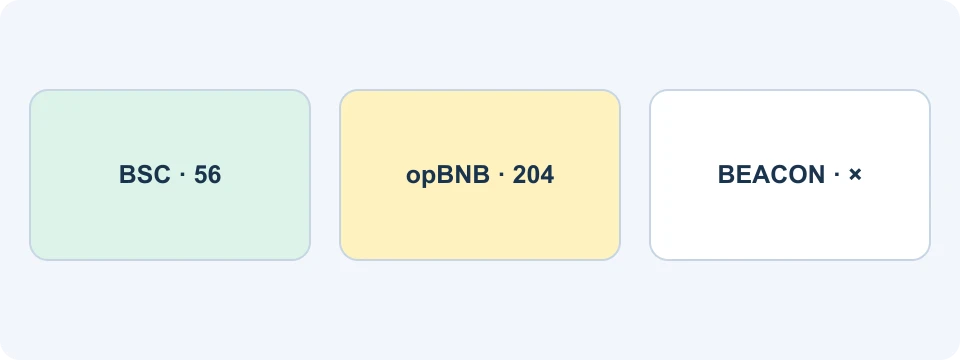
The official opBNB network table identifies opBNB separately. If your intended application or recipient specifies BSC, selecting opBNB because its name also contains BNB is not a compatible substitution.
Start with the destination's requirement and work backward. Write down the asset, network and receiving account before choosing a withdrawal option. This prevents a familiar logo from replacing the actual transfer instructions.
How to add BNB Smart Chain to MetaMask
Use the current MetaMask network guide. BNB Chain may already be available in the network list. In Extension, open the menu and Networks; in Mobile, use the network selector. Search the available networks and add BNB Chain if needed, then inspect its details. A supported entry avoids unnecessary manual configuration.
If you need a custom entry, use the network's official configuration below. Check the chain ID and endpoint before saving. MetaMask warns that replacing the default RPC with a custom RPC on BNB Smart Chain can disable Smart Transaction capabilities such as MEV protection. Do not replace a working default merely because an older tutorial shows a manual URL.
| BSC mainnet field | Official configuration |
|---|---|
| Network name | BSC Mainnet |
| RPC URL | https://bsc-dataseed.bnbchain.org |
| Chain ID | 56 |
| Currency symbol | BNB |
| Block explorer | https://bscscan.com/ |
These fields come from the BNB Chain wallet-configuration documentation. The same page lists testnet separately with chain ID 97 and symbol tBNB. Test tokens are not your mainnet funds. Avoid copying a testnet example into a setup intended for real assets.
After saving or selecting the network, inspect both the selected account and network. A familiar account name can still be the wrong account, and an aggregate portfolio view can combine assets from different networks. Verify the network attached to the specific balance you intend to use.
Adding a network does not move funds
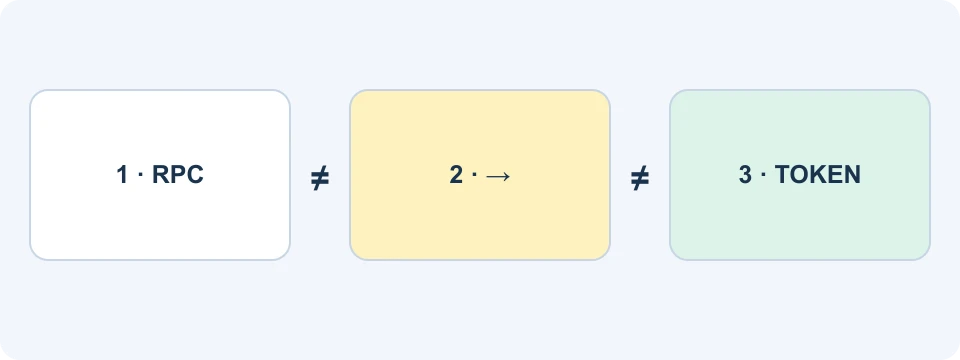
Consider a simple diagnostic example. Someone has a token on Ethereum and adds BSC to the wallet. If the BSC view shows zero, that alone does not indicate a loss: no operation has moved the token to BSC. Switching back to the original network or checking its explorer tests a different question from checking whether a bridge completed.
A cross-chain move needs a supported route, such as an eligible exchange withdrawal to the destination network or an appropriate bridge. These have distinct fees, supported assets and risks. Do not send funds to an address merely because it has the familiar hexadecimal format.
MetaMask's EVM-network guide discusses network selection, transfers and native fees. Similar addresses across compatible networks do not establish that a receiving service credits every network. For an exchange deposit, the exchange's actual deposit instructions remain essential.
BNB for gas and token balances are separate
The BSC quick guide identifies BNB as the native asset used for transaction fees. For an ordinary self-funded BSC transaction, holding a different token does not by itself supply native BNB for gas.
There are wallet-specific exceptions to how the user pays: MetaMask's current insufficient-funds guide describes eligible gas-included transactions on BNB Smart Chain that can charge another supported token. Check whether that option is actually offered for your transaction and read its total quote. Do not assume every app, account or transaction supports it.
For recordkeeping, separate the amount delivered from the asset used to pay each charge. Suppose a wallet contains a token balance but no native BNB, and the selected transaction provides no alternative fee-payment option. The token balance and the missing fee balance explain different parts of the preview. Buying more of the same token would not resolve that specific problem.
A quoted network charge is also different from an exchange withdrawal deduction. Compare the final withdrawal receipt with the amount received, and compare any later wallet transaction with its own fee record. The fee guide helps keep trading, withdrawal and blockchain charges separate.
Find the token, not just its name
A token contract address identifies the contract that manages that token; it is different from your receiving account address. MetaMask explains this in its contract-address guide. Two assets with similar names or symbols can have different contracts and risks.
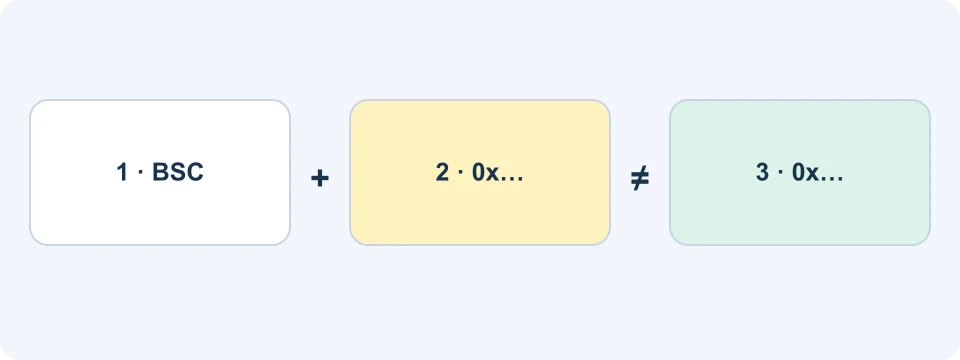
Use the issuer's official information and the correct network explorer to identify a token. A contract copied from Ethereum is not automatically the appropriate BSC contract. Likewise, an unexpected token appearing in a wallet is not evidence of a legitimate reward or a reason to open a website in its description.
The MetaMask token-display guide covers automatic detection and custom-token import. Adding a verified contract changes what the wallet displays; it does not mint, purchase or recover an asset. Native BNB and a wrapped token with a contract are also different entries.
When diagnosing a missing token, preserve the transaction identifier and the exact account address. Search the appropriate explorer and check the transfer destination and token contract. If the explorer confirms the balance but the wallet view omits it, display configuration becomes a plausible explanation. If the transfer never reached that account, importing a contract cannot fix it.
Before a Binance withdrawal to BSC
- Confirm the destination: use your intended wallet account and its supported network.
- Match the asset: distinguish native BNB from a similarly named token or representation.
- Match the withdrawal network: choose BNB Smart Chain only when the recipient supports that exact route.
- Read the preview: inspect minimums, fee, net receipt and any requested extra field.
- Verify completion: compare the withdrawal record, transaction identifier and receiving balance.
The withdrawal guide provides the exchange workflow. The BNB buying guide covers acquisition if needed. There is no requirement to use Binance merely to add BSC to a compatible wallet.
A small test can reduce the amount exposed to a mistake, but it must satisfy current minimums and adds a transfer charge. Check what the test actually proves: receipt at the intended account on the intended network. It does not prove that an unrelated app or future contract approval is safe.
What happened to Binance Chain and BEP-2?
The official Chain Fusion overview states that BNB Beacon Chain has been shut down since December 3, 2024. Tutorials describing it as an actively operating parallel transfer chain should not be followed as current instructions.
For legacy holdings, the official recovery documentation limits recovery to eligible cross-chain-bound or mirrored assets. It describes a BSC receiving account, gas and a waiting period. The post-Fusion FAQ explicitly identifies unrecoverable categories. There is no universal promise that every old BEP-2 balance can be restored.
Begin from the current official documentation and verify eligibility before any signing. Do not enter a recovery phrase into a search-result “support” page or send it to someone offering help. A legitimate process must be distinguished from an impersonator's instructions; adding BSC to MetaMask alone is not the legacy recovery process.
A short troubleshooting map
| What you see | First evidence to inspect |
|---|---|
| Zero after adding BSC | Was any asset actually transferred to this account on BSC? |
| Token present but sending unavailable | Fee balance, supported fee-payment option and transaction preview |
| Withdrawal complete, wallet empty | Network, destination, transaction status and verified token display |
| Old BEP-2 balance | Current official recovery eligibility, not a standard BSC transfer tutorial |
Frequently asked questions
Is BSC on Ethereum?
No. It uses compatible technology but maintains a separate blockchain. An asset visible on Ethereum is not automatically present on BSC.
Are BSC and opBNB interchangeable?
No. Their mainnet chain IDs are 56 and 204 respectively. Follow the destination's supported network rather than choosing by a similar name.
Do I need a Binance account to add BSC?
No. Connecting a compatible wallet to the network is separate from registering with an exchange or acquiring assets.
Does a Binance referral discount reduce BSC gas?
Do not treat an exchange referral benefit as a blockchain fee discount. The offer conditions apply to eligible exchange products and accounts; wallet and network charges have separate rules.
Affiliate disclosure: FinanceVelix may earn a commission through its Binance referral link. Account, product and regional conditions apply. No asset recovery or investment outcome is guaranteed.
Official educational references
- official BSC introduction ↗Source accessed: 2026-10-23
- official opBNB network table ↗Source accessed: 2026-10-23
- MetaMask network guide ↗Source accessed: 2026-10-23
- BNB Chain wallet-configuration documentation ↗Source accessed: 2026-10-23
- EVM-network guide ↗Source accessed: 2026-10-23
- BSC quick guide ↗Source accessed: 2026-10-23
- current insufficient-funds guide ↗Source accessed: 2026-10-23
- contract-address guide ↗Source accessed: 2026-10-23
- MetaMask token-display guide ↗Source accessed: 2026-10-23
- official Chain Fusion overview ↗Source accessed: 2026-10-23
- official recovery documentation ↗Source accessed: 2026-10-23
- post-Fusion FAQ ↗Source accessed: 2026-10-23