Binance Futures lets eligible users take long or short exposure through derivatives contracts. Before using it, identify the contract, collateral, margin mode and order size, then understand how fills, funding and liquidation affect the position. Buying a Futures contract is different from buying the underlying coin on Spot.
This guide explains the decisions behind the interface and gives a reproducible margin example. It does not recommend a trade or leverage setting. A leveraged position can lose its assigned margin quickly, and shared collateral can expose other eligible balances.
Source note: official documentation was checked on October 23, 2026. Examples are hypothetical arithmetic; no personal trades or investment returns are claimed. Product eligibility and current contract specifications take precedence over an older tutorial.
What are you trading: a coin or a contract?
A Spot purchase gives an exchange balance in the purchased asset. A Futures position gives exposure under a contract's rules. A long position generally benefits from an increase in the underlying price, while a short generally benefits from a decrease, before costs. Neither direction guarantees a profit.
Read the full contract name, including its settlement asset and any expiry. Perpetual contracts do not have a scheduled expiry and use funding payments. Dated contracts have their own expiry and settlement arrangements. A similarly named Spot pair and Futures contract are not interchangeable.
| Contract detail | What to establish | Why it changes the decision |
|---|---|---|
| Underlying and symbol | The market exposure and exact contract | A similar ticker can identify a different product |
| Settlement and collateral | Which asset supports the position and receives profit or loss | Coin collateral can change value alongside the trade |
| Perpetual or dated | Funding schedule or expiry and settlement rules | Holding costs and lifecycle differ |
| Contract size and precision | What the quantity field measures | One contract does not necessarily mean one coin |
Binance groups major crypto Futures products into USDⓈ-M and COIN-M. Do not infer every margin rule from the group name: account modes and individual specifications matter. The official interface guide provides orientation, but its older screenshots and practice links should be read alongside the current FAQs linked below.
Check eligibility and learn the screen in Demo Trading
A regular account does not establish permission to trade derivatives. Check the service available in your jurisdiction and complete the required identity and product assessments. If Futures is unavailable, do not try to bypass that restriction.
The current account-opening FAQ describes verification, experience questions and risk acknowledgements. Its starting leverage settings depend on the selected experience category. A default is an interface setting, not a judgment that the leverage is suitable or safe for you. Read the actual order panel instead of assuming an old tutorial's default still applies.
For practice, use the current Binance Demo Trading guidance. Demo uses virtual assets and is available subject to its account and regional requirements. The older Mock Trading route has been moved into Demo Trading. Live-account verification requirements and demo access requirements are not necessarily identical.
A useful practice session is an interface audit: identify the contract, observe an unfilled order, find its fills and inspect the resulting position. Record where the fee and funding history appear. Demo prices, liquidity and execution can differ from live trading, so a virtual profit is not evidence of an executable strategy.
Read the Futures screen in a consistent order
Start with the product and account controls, then the order form, then the records beneath it. A chart alone cannot tell you the margin mode, remaining quantity or whether an exit order is active.
- Contract header: verify the symbol, settlement asset, Mark Price and funding information.
- Account settings: inspect the margin arrangement, position mode and displayed leverage.
- Order form: check the direction, order type, quantity unit and any conditional settings.
- Preview: compare the proposed exposure, required margin and estimated costs with your intended limit.
- Records: distinguish open orders, executed fills, current positions and transaction history.
Transferring an eligible balance to a Futures account does not itself open a position. Likewise, seeing a balance in another account does not prove it is available as collateral for this contract. Verify the source and destination account labels before any internal transfer. The deposit guide covers funding checks separately.
Do not use the maximum-size button as a substitute for defining exposure. A useful written preview records the full notional amount and what an adverse move would mean in currency units. Those are different from the small margin figure displayed beside a leveraged order.
Margin and exposure: the same position at different leverage
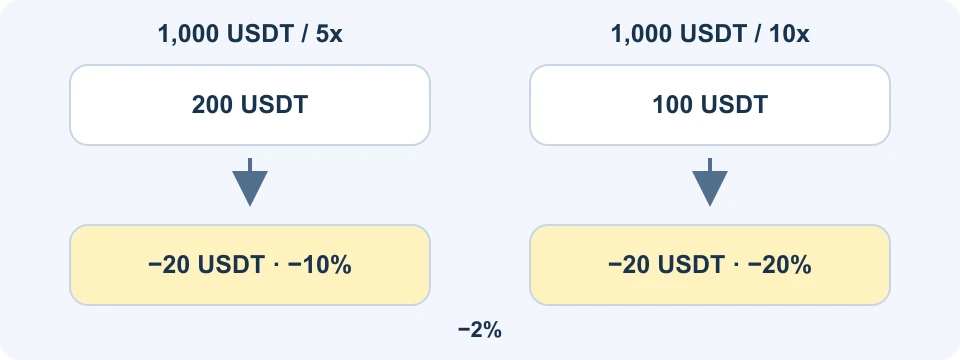
Initial margin supports the position; notional exposure describes its market size. In a simplified linear example, initial margin equals notional divided by leverage. The actual platform requirement can also reflect fees, open orders, risk tiers and the account arrangement.
| Hypothetical linear position | Case 1 | Case 2 |
|---|---|---|
| Starting notional | 1,000 USDT | 1,000 USDT |
| Illustrative leverage | 5x | 10x |
| Simplified initial margin | 200 USDT | 100 USDT |
| Loss from a 2% adverse move | 20 USDT | 20 USDT |
| Loss divided by initial margin | 10% | 20% |
The arithmetic is 1,000 divided by 5 or 10 for margin, and 1,000 multiplied by 0.02 for loss. Because exposure is held constant, changing leverage does not double this absolute price loss. It doubles the loss as a proportion of the simplified initial margin.
A different comparison holds margin constant and increases notional. That increases the absolute sensitivity to a price move. Mixing these comparisons is a common reason leverage explanations become misleading: “same margin” and “same position size” are different assumptions.
This example excludes funding, commissions, slippage, margin additions and other positions. It is not a liquidation calculation, a recommended size or a claim that 5x is safe. For a real contract, inspect the current leverage and maintenance-margin requirements. Maintenance margin depends on the applicable risk bracket; it is not simply the initial margin shown in this table.
Separate margin mode from position mode
Cross margin shares eligible collateral across the positions covered by that account arrangement. A loss can therefore affect balances supporting other positions. Isolated margin assigns collateral to a particular position, although additions and automatic margin features, where enabled, can change the amount exposed.
The margin-mode FAQ explains contract-level selection and restrictions on changing modes with existing orders or positions. The margin-adjustment FAQ separately describes adding or removing allocated margin. Confirm the mode before entering an order; do not assume switching will be available afterward.
Position mode answers another question. In One-Way Mode, opposite orders can reduce, close or reverse a net position. Hedge Mode allows separate long and short positions in the same contract. The position-mode FAQ describes those mechanics. Holding both sides is not automatically risk-free: size, costs and collateral still matter.
Binance's June 2026 position-mode upgrade notice also describes aligning COIN-M settings with USDⓈ-M. Check the current setting across the relevant products rather than relying on a saved screenshot from before that change.
Mark Price, Last Price and a stop are different
Last Price reflects recent trading. Mark Price is used in Binance's valuation and liquidation process. A stop can use a selected trigger basis, and the eventual execution price is a further value. These prices can differ during fast or thin trading.
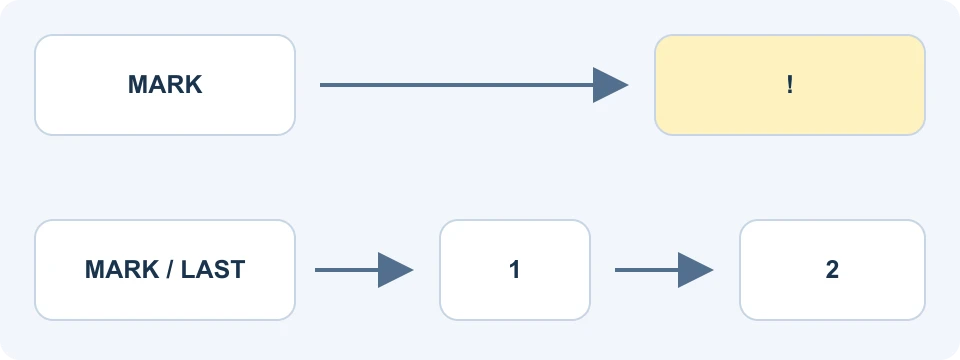
The liquidation guidance ties liquidation to the applicable margin requirements and Mark Price. An estimated liquidation price can move as balances, funding, position size or other relevant inputs change. Do not treat it as a guaranteed final execution price.
The stop-order guidance explains why a position can be liquidated even when a stop was placed: the trigger basis and liquidation basis can differ, and a stop set too close may not protect the position in time. A stop-limit order can trigger and remain unfilled; a market exit can execute at a worse price than expected.
Before relying on a protective order, write down its trigger basis, trigger price, order type and quantity. Then check that the order actually exists and covers the intended position. An unchecked setting or a rejected order offers no protection, regardless of what was entered into the form.
Check TP/SL strategy orders after partial fills
The current TP/SL strategy-order FAQ supports OTO and OTOCO structures. Older blanket statements that Futures TP/SL never uses an OCO relationship are therefore unreliable.
Pay attention to whether the exit is for a fixed quantity or the entire position, and how a partial entry fill activates its secondary orders. Under the documented strategy, a partially filled primary order can activate secondary orders whose amount references the primary order's full quantity. Inspect the resulting records instead of assuming entry and exit quantities always match.
Compatibility matters too: the FAQ says TP/SL and Reduce-Only cannot both be selected on the same order, and describes restrictions in Hedge Mode. Use the current supported close controls for the actual mode. Do not combine labels copied from different screens into an unsupported instruction.
An order is not the same thing as a position
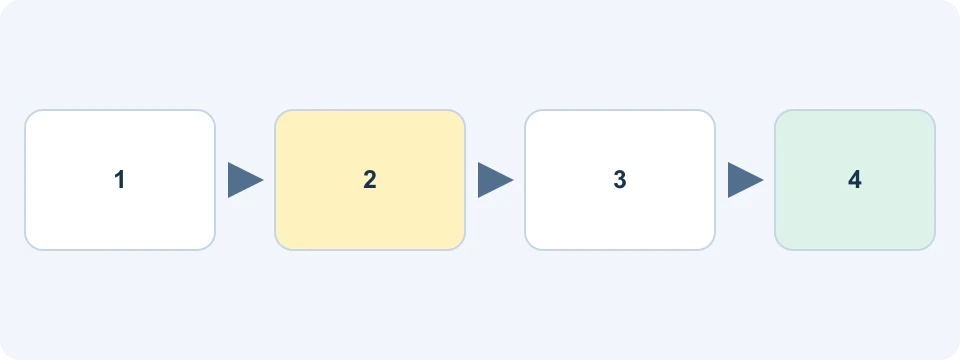
Consider a hypothetical entry requesting 10 units, with only 4 units filled. Cancelling the remaining 6 units stops that remainder from filling; it does not remove the existing 4-unit position. Closing the position requires the appropriate opposite execution or supported close action.
After an intended exit, verify the remaining position quantity, open orders and realized transaction records. In Hedge Mode, inspect the correct side. A message saying an order was submitted is weaker evidence than a completed fill and a zero remaining position on that side.
If an order fails, first read its rejection reason and current state. Common distinctions to inspect include usable margin, quantity precision, minimum size, position limits and incompatible flags. Avoid repeatedly submitting another order while the previous one's status is unclear.
Reconcile funding, commissions and realized results
Perpetual funding is a payment between opposing position holders. Positive funding generally means longs pay shorts; negative funding generally reverses the direction. The funding FAQ specifies contract-dependent intervals and possible changes. Check the live countdown and specifications rather than assuming every market always settles funding every 8 hours.
A funding payment can affect available balance or position margin. The displayed rate can change before settlement, and a narrow timing assumption is not a guaranteed way to receive or avoid a payment. Review the actual funding record after the relevant interval.
Trading commissions, funding and liquidation-related charges are separate categories in the official fee explanation. Opening and closing executions can both generate commission. A displayed unrealized gain should not be described as the final net result before all applicable records are reconciled.
For a transparent record, keep entry and exit fills, realized price profit or loss, commissions, funding paid or received, and any other adjustment in separate columns. Count an expense once. Do not subtract a fee again if the chosen net-result field already includes it.
A small reconciliation example
Suppose a closed linear position has an invented gross price gain of 12 USDT. Its opening commission is 0.4 USDT, closing commission is 0.4 USDT, and funding paid is 0.3 USDT. If these are all separate records and there are no other adjustments, the net change is 12 minus 0.4 minus 0.4 minus 0.3, or 10.9 USDT. These are assumed amounts, not Binance fee rates.
If a platform field already reports that 10.9 USDT net result, subtracting the three charges again would understate it. Conversely, describing the 12 USDT gross price gain as money earned ignores those costs. The first task is to identify exactly what each field includes.
This also explains why a percentage displayed beside an open position should not be compared directly with a bank-account return. Its denominator may be position margin, while additional eligible collateral remains exposed elsewhere. For your own records, state the numerator, denominator and time period explicitly. Keep deposits and withdrawals separate from trading gains so that moving money between accounts does not appear to create performance.
An export that cannot be reconciled to the balance is a reason to investigate the missing entry, not to assume the more flattering result is correct. Compare timestamps and settlement assets before combining rows from different products.
Any referral reduction, BNB fee benefit or task reward has separate conditions. An advertised maximum is not a guaranteed reduction on every Futures charge. The trading-fee guide and VELIX offer guide explain the eligibility checks. Rewards are not a reason to increase leverage or trading volume.
Frequently asked questions
Is Binance Futures the same as Spot?
No. Spot buys or sells an asset balance; Futures creates contract exposure with margin, liquidation and product-specific settlement rules. A Spot purchase does not require a Futures position.
What leverage is safe for a beginner?
No leverage setting guarantees safety. The same setting can represent very different exposure relative to someone's resources. Understand the full notional amount and loss mechanics before considering whether the product is appropriate.
Does cancelling an order close my position?
Only the unfilled order portion is cancelled. Existing fills and resulting positions remain until separately reduced or closed. Verify both the order list and position list.
Can demo results predict live results?
No. Virtual execution, liquidity and behavior differ from real trading. Demo can help you learn controls and recordkeeping; it cannot establish a profitable live strategy.
Affiliate disclosure: FinanceVelix may earn a commission through its Binance referral link. Account, product and regional conditions apply. This educational guide does not promise fee savings, rewards or investment returns.
Official educational references
- official interface guide ↗Source accessed: 2026-10-23
- current account-opening FAQ ↗Source accessed: 2026-10-23
- Binance Demo Trading guidance ↗Source accessed: 2026-10-23
- current leverage and maintenance-margin requirements ↗Source accessed: 2026-10-23
- margin-mode FAQ ↗Source accessed: 2026-10-23
- margin-adjustment FAQ ↗Source accessed: 2026-10-23
- position-mode FAQ ↗Source accessed: 2026-10-23
- June 2026 position-mode upgrade notice ↗Source accessed: 2026-10-23
- liquidation guidance ↗Source accessed: 2026-10-23
- stop-order guidance ↗Source accessed: 2026-10-23
- current TP/SL strategy-order FAQ ↗Source accessed: 2026-10-23
- funding FAQ ↗Source accessed: 2026-10-23
- official fee explanation ↗Source accessed: 2026-10-23