Binance Pay lets eligible, verified Binance users send supported crypto to other users and pay participating merchants. It is different from buying crypto through P2P or withdrawing to a blockchain address. Before authorizing a payment, confirm the recipient, asset, amount, funding source and any displayed charges.
This guide is based on official public documentation checked on October 23, 2026. Examples are illustrative calculations, not live quotes or personal payment tests. Product access and payment routes depend on your account and location.
Choose the payment route before entering details
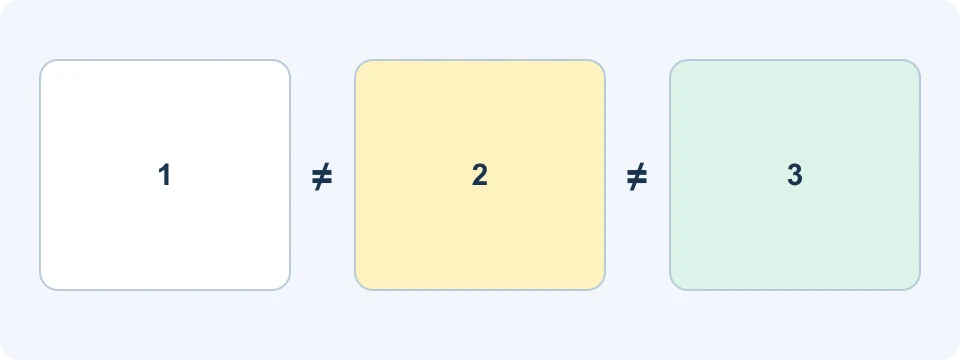
The word “send” can describe several different actions. Identify the route first: the details needed to receive a Binance Pay transfer are not interchangeable with a blockchain deposit address. A valid address on the wrong route is still the wrong instruction.
| Route | What you are doing | Check before proceeding |
|---|---|---|
| Binance Pay to a user | Sending supported crypto to an identified Binance recipient | Recipient identifier, amount, asset and final confirmation |
| Merchant checkout | Paying a merchant through an available Pay integration | Merchant, order, quotation and payment currency |
| P2P order | Buying or selling crypto against an external fiat payment | Active order, counterparty terms and actual payment receipt |
| Blockchain withdrawal | Sending crypto to an external address | Address, network, memo if required, minimum and fees |
If someone requests a network and a deposit address, do not substitute a Pay identifier. If a merchant provides a Pay checkout, do not send a separate transfer merely because a person in a chat offers a different address. Resolve the discrepancy through the merchant's verified channel before paying. Our P2P guide and withdrawal guide cover those separate workflows.
Check eligibility and access Pay
Binance's Pay overview describes access for eligible users who complete identity verification. Open Pay in the current Binance app and follow the account prompts. The appearance of a tutorial or a merchant logo does not establish that a service is available for your account.
Check the supported currency list in the payment flow rather than relying on a fixed number in an older article. Also distinguish a transfer currency from a merchant's pricing currency: the checkout may present a conversion quotation. Inspect the crypto amount actually being deducted before approving it.
Binance Pay ID versus Binance UID
Older tutorials ask for a “Pay ID.” Binance's updated Pay ID announcement states that support ended on January 1, 2025. Binance ID, email and phone methods were unaffected, and historical Pay ID transaction records remain available.
Do not treat an old Pay ID as a current Binance UID or try to convert one by guessing. Ask the recipient to share a currently supported receiving method from their own account. Binance's UID instructions explain where the account identifier appears. A contact's familiar display name is not enough to verify the underlying destination.
Send crypto to another Binance user
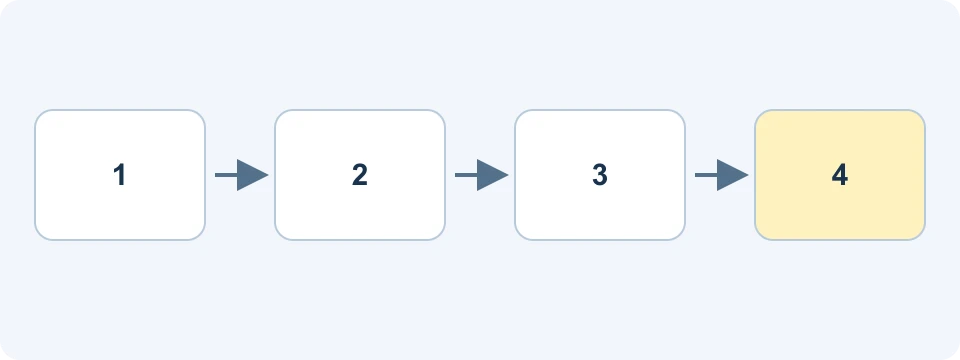
The official send instructions describe selecting Pay, Send and the Binance-user route, then identifying the recipient by a supported method. Verify the email, phone country code or UID with the recipient through an established channel.
- Confirm that you selected the intended route and recipient.
- Choose a supported asset and enter the amount.
- Review the payment source, total deduction and any displayed charges.
- Complete the requested security verification only when the summary is correct.
- Check the resulting transaction record before treating the transfer as complete.
Keep payment credentials and verification codes private. If a recipient changes details during the conversation, stop and confirm the change independently. Binance warns that a transfer to incorrect recipient details cannot simply be recovered; do not assume that support can reverse an authorized payment.
For an uncertain result, inspect the transaction history before sending again. A delayed notification and a failed transaction are different observations. Record the status, reference and time so that support can investigate the existing transfer rather than creating a second one.
Receive a payment and verify the record
Binance's receiving guide explains QR requests with no specified asset, a specified asset, or an asset plus amount. You can also create a payment link; the guide says these links expire after 30 days.
A request tells someone how to pay. It does not prove that payment has arrived. Check your own transaction history and credited asset. Match the amount and transaction reference to the intended payment, particularly when receiving several similar amounts.
For a business reconciliation, keep the order reference separate from the payment reference. One identifies what was purchased; the other identifies the asset movement. Do not mark an order as paid solely because a sender supplies a screenshot. Use the merchant system's status and the relevant payment record.
Where does the money come from and arrive?
Account routing is changing. The September 2026 Funding-to-Spot migration FAQ says incoming Pay assets go to Spot after migration. It also says Pay spending can still deduct from Funding and Spot according to payment priority settings, with details of a future Spot-only change to follow.
Therefore, “Pay always receives into Funding” and “Pay already spends only Spot everywhere” are both poor blanket instructions. Follow your account's current confirmation screen during the phased rollout. Historical Pay records remain available; an older Funding label in a record does not mean you received a second copy of the asset.
Where Flexible Earn is offered as a payment source, the send guide explains that spending involves redemption and stops the relevant assets earning rewards. Fixed products are different. Check the actual source and redemption result rather than treating your overall account valuation as an immediately spendable balance.
Paying a merchant and controlling asset priority
The merchant QR instructions describe scanning the merchant's QR code, reviewing payment details, choosing the payment currency and completing security verification. Check that the merchant and order are the ones you intended to pay.
If the first preferred asset is insufficient, the documented workflow may use multiple assets in priority order. Review the entire deduction, not just the first currency displayed. Binance's priority settings guide distinguishes the saved default from a change made for one transaction; changing the current payment does not necessarily change the default.
Illustrative example: a payment funded by two assets
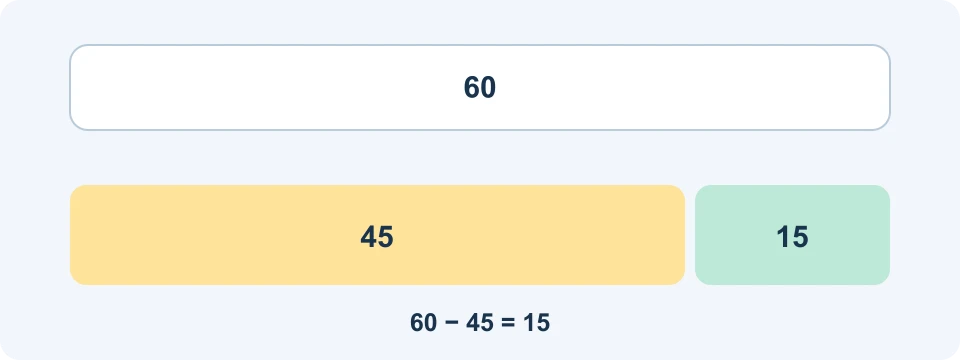
Suppose an illustrative checkout requires 60 units of value and the first selected asset covers only 45. The remaining requirement is 60 − 45 = 15 units before any additional costs or quotation changes. If a second asset is permitted, the confirmation screen must show how much of that asset covers the shortfall.
This arithmetic does not establish a real exchange rate or guarantee that the route is available. If you intended to spend only the first asset, a sufficient total account value is not the same as permission to consume the second one. Stop and change the selection if the summary differs from your intention.
Is Binance Pay free?
Do not apply one fee claim to every Pay-branded route. The official fee schedule separates user and merchant services, including Send Cash, wallet transfers and merchant payout arrangements. Its applicable fees, exchange rates and waivers are displayed before a transaction.
| Question | Useful check |
|---|---|
| Is this a user transfer or another service? | Read the selected route, not only the Pay logo. |
| Does the recipient receive crypto or local currency? | Inspect the receiving amount and any conversion quotation. |
| Is an external network involved? | Check the applicable withdrawal or network-related charges. |
| Is the quoted fee for merchants? | Do not apply merchant pricing to an ordinary consumer transfer. |
For comparisons, write down what leaves your account and what arrives at the destination in their respective currencies. A zero service fee can still be an incomplete cost description if conversion or another payment route is involved. Conversely, a merchant schedule does not prove that every customer pays that merchant's fee.
Common problems and practical next steps
| Problem | Next check |
|---|---|
| The recipient cannot be found | Confirm the supported identifier and country code; do not substitute legacy Pay ID. |
| The available amount is lower than expected | Inspect the eligible source balance and any product restrictions or pending redemption. |
| A payment is pending or its result is unclear | Check its existing history record before repeating it. |
| A merchant says no payment arrived | Compare the order reference with the payment record and use official support. |
| The wrong recipient was entered | Contact official support promptly with the record; do not assume reversal is possible. |
Frequently asked questions
Are there payment limits?
Check your current Pay limits in the account interface. The send documentation identifies a My Pay Limits setting. Do not infer unlimited transfers from the speed of a previous payment.
Does a merchant refund happen automatically?
A successful payment and an approved refund are separate events. Follow the merchant's refund process, preserve the order and payment references, and verify any refund in your account records. Do not accept a demand for a new payment or a verification code as proof that a refund is underway.
Does a trading-fee referral discount apply to Pay?
Do not assume so. Trading fees, Pay costs and promotional tasks have different eligibility rules. Check the exact product and current terms instead of subtracting a trading discount from a Pay quotation.
Affiliate disclosure
FinanceVelix may earn a commission if you register through its Binance referral link. Eligibility and benefits depend on your location, account and current terms. No registration through our link is needed to use this guide.
Official educational references
- Binance official Pay or account instructions ↗Source accessed: 2026-10-23
- Pay ID retirement announcement ↗Source accessed: 2026-10-23
- Binance official Pay or account instructions ↗Source accessed: 2026-10-23
- Binance official Pay or account instructions ↗Source accessed: 2026-10-23
- Binance official Pay or account instructions ↗Source accessed: 2026-10-23
- Funding-to-Spot migration FAQ ↗Source accessed: 2026-10-23
- Binance official Pay or account instructions ↗Source accessed: 2026-10-23
- Binance official Pay or account instructions ↗Source accessed: 2026-10-23
- Binance official Pay or account instructions ↗Source accessed: 2026-10-23